About this app
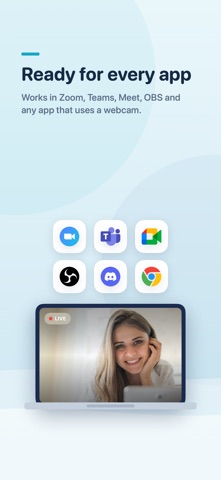
TapCam turns your iPhone into a sharp, low latency wireless webcam for your Windows PC. Your phone camera almost always beats a built in laptop webcam, and TapCam sends that video straight to your computer over your local Wi-Fi, or through a USB cable for the most stable link. Once connected, TapCam appears as a normal camera on your PC, so you can pick it in Zoom, Microsoft Teams, Google Meet, OBS, and any app that uses a webcam. HOW IT WORKS 1. Install the free TapCam app on your Windows PC. 2. Open TapCam on the PC. It shows a QR code. 3. Scan the QR code with this app. That is it, you are live. FEATURES - Sharp H.264 video over local Wi-Fi, tuned for low latency. - Connect wirelessly over Wi-Fi, or plug in a USB cable for a rock solid link with no Wi-Fi needed. - Front and back cameras, pinch to zoom, tap to focus, torch. - Live background blur and color replacement, plus a large set of stylish looks and fun effects, previewed right on your phone. - Manual white balance and ISO where the camera supports it. - Also a baby monitor or home camera: point the phone at the crib, a room, or a pet, and watch live on your PC. - Automatic reconnect, and one tap to reconnect to your last PC. - Clean, simple interface. No account, no sign up. REQUIREMENTS - The free TapCam companion app on a Windows PC. - The phone and the PC on the same local Wi-Fi network, or connected with a USB cable. TapCam streams only to your own PC on your local network. Your video never goes through our servers.
Latest release
What’s New
What's new in 1.2: • TapCam now speaks Japanese, Simplified Chinese, Russian and Turkish. • Fix: the PC address can now be typed with its port, exactly as the PC shows it.
Audience growth
Ratings growth
Baseline captured. Growth appears after the crawler observes a changed rating count.
Momentum comes from crawler snapshots for the tracked storefront. “Viral growth signal” means unusually fast recent rating gains; it is an indicator, not download data.
Price tracking
Price intelligence
- First observed Aug 20, 2026 · 1:57 PM Free
Screenshots