About this app
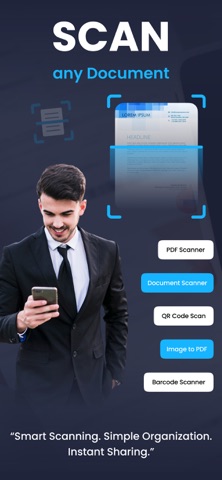
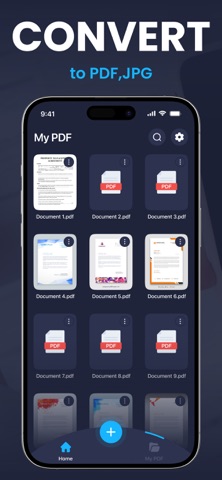
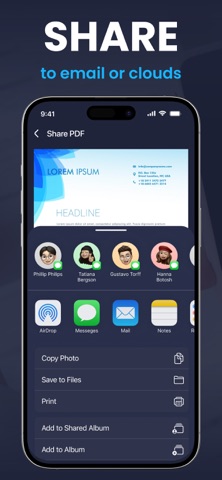
App Description Turn your iPhone into a powerful and easy-to-use document scanner. Quickly scan documents, convert them into high-quality PDF files, and manage your files in one convenient place. Whether you need to scan receipts, contracts, notes, IDs, or important paperwork, this app helps you digitize documents quickly and efficiently. All scanned documents are stored securely on your device, giving you full control over your files and privacy. Key Features Smart Document Scanning Scan documents using your device camera with automatic edge detection for accurate results. High-Quality PDF Creation Convert scanned documents into clear and professional PDF files. Document Organization Easily manage and organize your scanned documents inside the app. Export and Share Share PDF files through Email, AirDrop, Files, or other supported apps. AI Smart Scanning Automatically detect documents and enhance scan quality for better results. Fast and Simple to Use A clean and intuitive interface designed for quick and efficient document scanning. Premium Features Upgrade to premium to unlock additional features: • Unlimited document scanning • AI-powered smart scanning tools • High-quality PDF export • Remove advertisements Subscriptions automatically renew unless canceled at least 24 hours before the end of the current billing period. Users can manage subscriptions through their Apple ID account settings. Privacy policy: https://docpeper.blogspot.com/2026/01/privacy-policy.html Terms and conditions : https://docpeper.blogspot.com/2026/01/terms-conditions.html Eula: https://docpeper.blogspot.com/2026/01/eula.html
Latest release
What’s New
Bugs fixes and performance enhancement
Audience growth
Ratings growth
Baseline captured. Growth appears after the crawler observes a changed rating count.
Momentum comes from crawler snapshots for the tracked storefront. “Viral growth signal” means unusually fast recent rating gains; it is an indicator, not download data.
Price tracking
Price intelligence
First snapshot captured. The trend line starts after the next crawler price observation.
- First observed Aug 23, 2026 · 6:09 AM Free
Screenshots