About this app
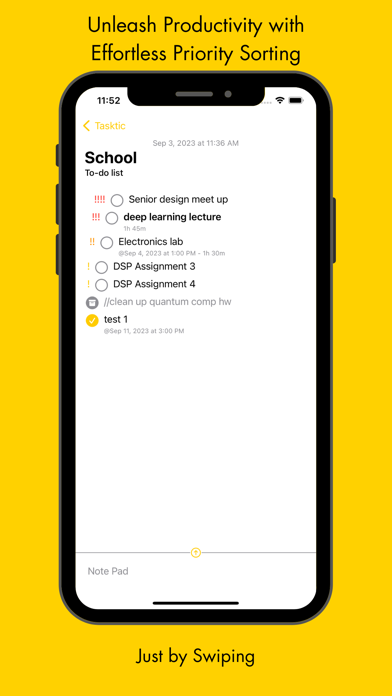
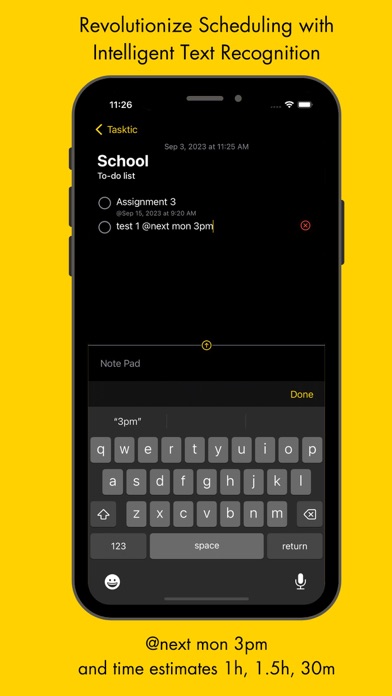
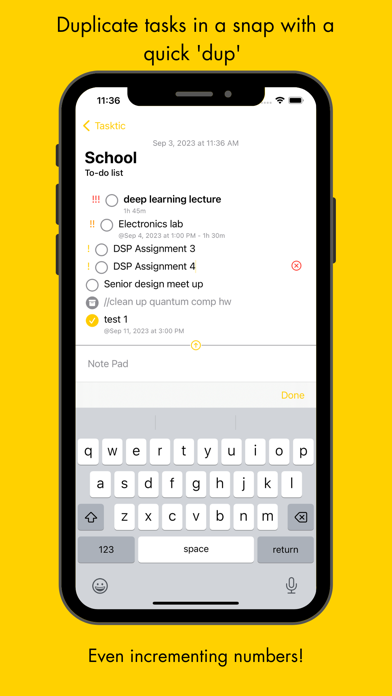
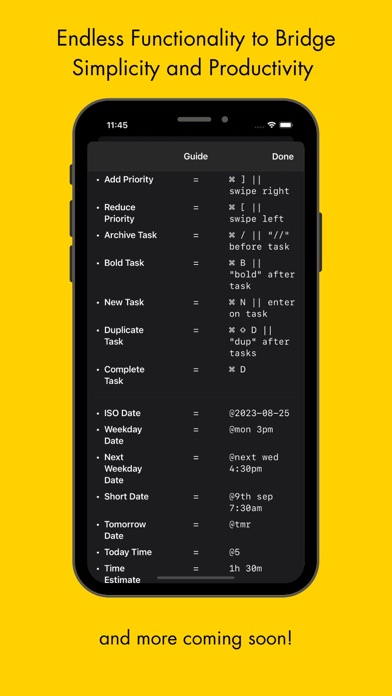
Find the thin line between complex and simple to do lists - Rank your to-do’s with priority by just swiping right and left on the task - Got stand out tasks, bring them bold by typing bold right after the task - Scheduling a task? maybe for @tmr 9:12AM or @next wed 3pm or @4th sep 5pm? That’s all you need to do. - Got a quick task you don’t wanna procrastinate about? Type 1h 5m and see the time estimate appear reminding you every time that you indeed have time for your tasks. - Ever commented out code before? //Archive your tasks by adding two slashes before. - Got some repetitive tasks such as quiz 1 dup and oh wow quiz 2? Yes all you need to do is type dup after the task and it will automatically replicate your task. If your task had a number such as release v1.2 dup .... release v1.3, it will also increment that. - Find yourself conquering your to-do list with keyboard shortcuts on Mac and get every bit of time back in your life. - Stay tuned for exciting features and enhancements coming soon such as recurring tasks, subtasks, completion summaries for annoying scrum meetings, and more! Created by Peter Khouly Terms of Service https://tasktictodo.wordpress.com/2023/09/01/terms-of-service/
Latest release
What’s New
• Repeat task every day or weekly
Audience growth
Ratings growth
Baseline captured. Growth appears after the crawler observes a changed rating count.
Momentum comes from crawler snapshots for the tracked storefront. “Viral growth signal” means unusually fast recent rating gains; it is an indicator, not download data.
Price tracking
Price intelligence
First snapshot captured. The trend line starts after the next crawler price observation.
- First observed Sep 1, 2026 · 2:45 PM Free
Screenshots