About this app
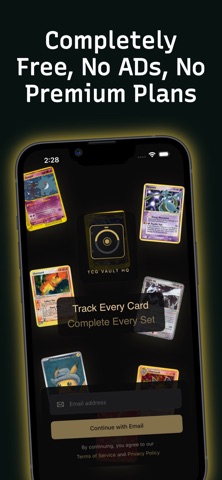
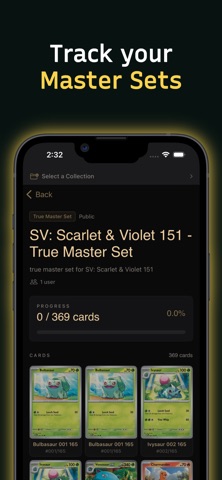
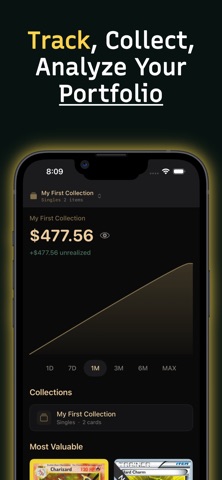
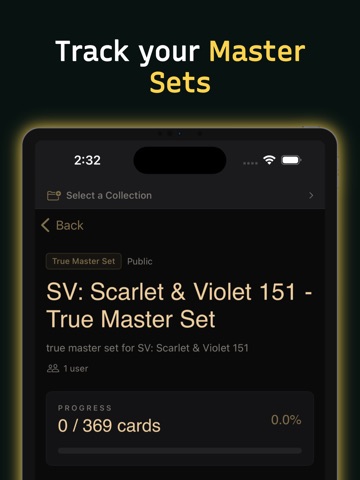
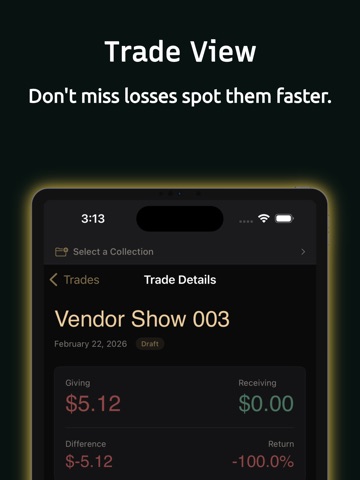
TCG Vault HQ is the ultimate companion app for Pokemon TCG collectors and traders. Track your collection, monitor market prices, evaluate trades, and manage your binders -- all in one beautifully designed app. COLLECTION MANAGEMENT Build and organize your Pokemon card collection with powerful tools. Create custom binders, track set completion progress, and manage singles, graded cards, and sealed products. Use templates to quickly set up master set trackers or set completion checklists. MARKET DATA & PRICE TRACKING Stay on top of the Pokemon TCG market with real-time pricing data. Track price history and trends across your entire collection to understand your portfolio's value over time. TRADE EVALUATOR Never make a bad trade again. Compare card values side-by-side and evaluate whether a trade is fair before you commit. Perfect for in-person trades at local game stores and events. CODE CARD SCANNER Quickly scan and manage your Pokemon TCG Online code cards using your camera. Upload codes, track which ones you have claimed, and share extras with the community. CARD SEARCH & DATABASE Browse the complete Pokemon TCG card database across every era and set. Search by name, set, artist, type, and more. View detailed card information including attacks, abilities, and current market prices. HOME SCREEN WIDGET Keep tabs on your collection value at a glance with the TCG Vault HQ portfolio widget for your home screen. KEY FEATURES - Complete Pokemon TCG card database with every era and set - Custom binders and collection organization - Set completion and master set tracking with templates - Real-time market pricing and price history charts - Trade evaluation tool for fair trades - Code card scanner with camera support - Graded card tracking (PSA, CGC, BGS) - Sealed product inventory management - Home screen widget for portfolio value - Magic link sign-in -- no passwords to remember - Universal links for seamless web-to-app experience - Dark mode support throughout
Latest release
What’s New
TCG Vault HQ v1.1 - What's New Multi-Game Support - Dynamic filter system supporting Pokemon, Yu-Gi-Oh!, Magic: The Gathering, Disney Lorcana, One Piece TCG, and WikiTCG - Select multiple games simultaneously with shared and per-game filter sections - Filter configs fetched from the server - new games and filters appear automatically Offline Mode for Events - Download cards and images by game and set for full offline use - Search and filter your synced cards without internet - Offline sync page with storage tracking and per-set progress - Collection changes queue automatically and sync when back online - Offline mode indicator banner Card Detail Enhancements - Full card data now loads from the API (no more blank fields when navigating from collections) - Graded prices table with PSA, CGC, BGS, SGC tabs - Price analytics with 4 chart tabs: Overview, Variants, Spread, Volatility - Template tracking showing which templates include each card - External links for non-Pokemon games (WikiTCG, Wikipedia) - Real energy type icons replacing colored circles in types, attacks, weaknesses, resistances, and retreat cost Collections - Preview image thumbnails on collection rows (home page and collections tab) - Fixed card images not loading in collection views - Fixed cards incorrectly opening as "Toy" view - Market prices now display correctly for collection items Apple Watch - Watch app now properly installs from iPhone - Complications show real data (fixed deserialization) - New configurable "Collection Value" complication - select a collection to display on your watch face - "Last updated" timestamp and connection error display - Haptic feedback only on manual refresh (not passive updates) Security & Stability - Debug logging disabled in production builds - Session cookies expire after 30 days - Offline data encrypted with iOS file protection - Push token cleared on sign-out - Cache limited to 100MB with automatic cleanup - 28 force-unwrap crash risks eliminated - Camera and photo library permission descriptions added Accessibility - VoiceOver labels added to prices, buttons, cards, filters, and watch complications
Audience growth
Ratings growth
Baseline captured. Growth appears after the crawler observes a changed rating count.
Momentum comes from crawler snapshots for the tracked storefront. “Viral growth signal” means unusually fast recent rating gains; it is an indicator, not download data.
Price tracking
Price intelligence
First snapshot captured. The trend line starts after the next crawler price observation.
- First observed Sep 4, 2026 · 7:30 AM Free
Screenshots