About this app
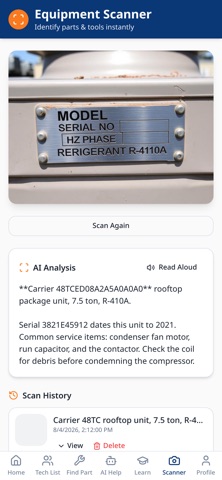
Full App Description Tech Help is the all-in-one support app built specifically for maintenance professionals. Whether you’re on-site, in a unit turn, or managing multiple jobs, Tech Help gives you the tools and answers you need—fast. Find Parts Fast Search by part number, model, or description to quickly locate the right replacement and keep jobs moving without delays. Instant AI Repair Guidance Get step-by-step troubleshooting help for common maintenance issues like HVAC, appliances, plumbing, and electrical—right when you need it. Scan & Identify Tools and Parts Use your camera to instantly identify tools and parts, find compatible replacements, and access helpful information on the spot. Build Your Tech Network Connect with fellow technicians, contractors, and coworkers to share knowledge and streamline collaboration. Organize Vendor Schedules Easily track vendor jobs, inspections, and upcoming work with a clean, organized scheduling system built for real-world maintenance workflows. Tech Help is built for maintenance pros who want to work smarter, save time, and stay organized—without unnecessary complexity.
Latest release
What’s New
Bug fixes and performance improvements. Enhanced account deletion: permanently removes your account and all associated data. Added clearer affiliate link disclosure on parts search results. Improved AI data consent prompts before using chat or scanner features. Strengthened moderation tools: report, block, and content filtering for community safety. Company owners can now restrict teams to a private company-only forum. Added AI chat history with the option to share solutions to the forum. Various security and privacy enhancements.
Audience growth
Ratings growth
Baseline captured. Growth appears after the crawler observes a changed rating count.
Momentum comes from crawler snapshots for the tracked storefront. “Viral growth signal” means unusually fast recent rating gains; it is an indicator, not download data.
Price tracking
Price intelligence
First snapshot captured. The trend line starts after the next crawler price observation.
- First observed Sep 4, 2026 · 7:44 AM Free
Screenshots