About this app
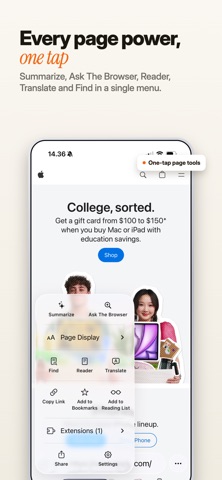
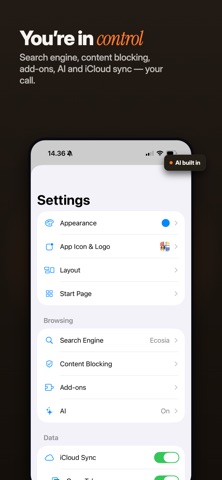
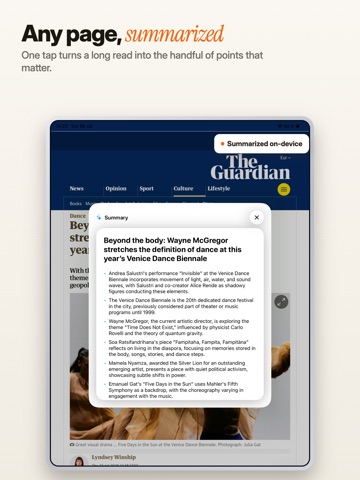
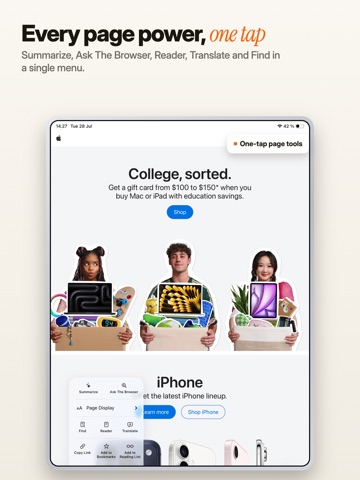
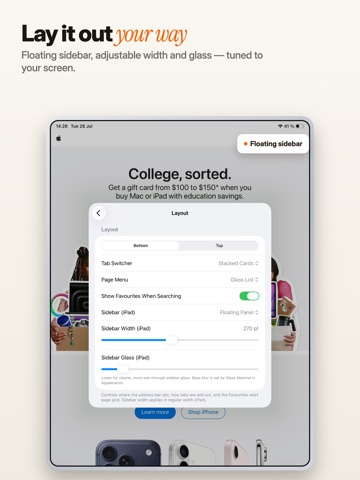
The Browser is a fast, private web browser with a built-in AI that runs entirely on your device — no account, no data collection, no tracking. PRIVATE BY DEFAULT • Blocks ads, trackers, and fingerprinting out of the box • Automatically declines cookie-consent pop-ups • Private tabs locked with Face ID • Nothing is collected — your browsing stays on your device ON-DEVICE AI • Summarize any page or ask questions about it • Runs locally with a compact model — works even without Apple Intelligence • No prompts or pages are sent to a server EXTENSIONS (BETA) • Install Chrome and Firefox extensions — one tap from their web stores or from a file • Manage permissions and per-site access BUILT FOR FOCUS • Hide Distracting Items — tap to remove clutter on any page, remembered per site • Reader mode for clean, readable articles • Offline translation of pages in many languages MADE FOR iPHONE & iPAD • Optimized iPad layout with a sidebar and multiple windows • Voice search, downloads manager, per-site settings • A customizable start page Fast, focused, and private — the way browsing should be.
Latest release
What’s New
The Browser can now be your default browser Set it under Settings ▸ Apps ▸ Default Apps ▸ Browser, and links you tap in other apps open here. Sign in with a passkey now works, on sites that offer it. Signing in works properly On sites where the keyboard covered the sign-in button, the page can now scroll to reach it instead of springing back. Ask the Browser answers again It could get stuck on "Thinking…" and never come back — and once it did, every question after that was ignored too. Using AI on your device is far easier on the battery Answering a question kept the model running at full tilt long after you closed the sheet, and it did a whole answer's worth of work just to decide whether to search the web. Your saved API keys are safe The keys in Settings could show up empty, and be erased if you typed in the field. The Browser no longer asks for your location The feature that used it is gone, so the permission is gone with it. Add-ons are now off until you switch them on, and installing one asks first A page can no longer add an add-on by itself, and each add-on only reaches the sites you allow it, under Site Access. Closing a tab you weren't looking at now sticks It doesn't come back the next time you open the browser, and it goes away on your other devices too. Your history, bookmarks and saved sessions are protected if their file is ever damaged Before, a damaged file was replaced with an empty one; now the original is kept. Low-memory handling now frees background tabs properly, so pages are shut down — and go blank — far less often. A long download no longer stalls your settings from syncing between devices. Everything is lighter: launching the app, typing in the address bar, the start page, scrolling a page, downloads, and AI summaries all did far more work than they needed to.
Audience growth
Ratings growth
Baseline captured. Growth appears after the crawler observes a changed rating count.
Momentum comes from crawler snapshots for the tracked storefront. “Viral growth signal” means unusually fast recent rating gains; it is an indicator, not download data.
Price tracking
Price intelligence
First snapshot captured. The trend line starts after the next crawler price observation.
- First observed Aug 19, 2026 · 4:50 AM Free
Screenshots