About this app
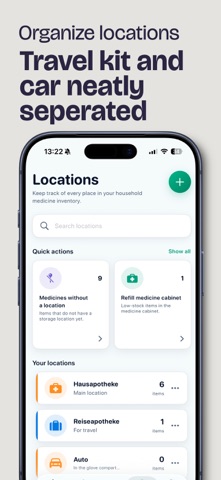
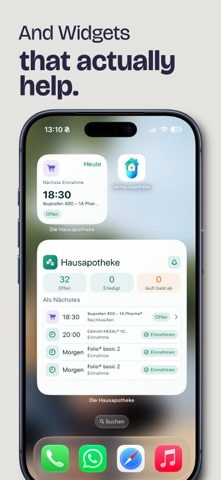
With 'The Home Pharmacy', you can keep track of your medicines, supplies, and important health items at home. Add medications, organize storage locations, and see at a glance what is about to expire, missing, or needs to be restocked. You can also create a medication schedule, making regular intake easier to structure and follow. With family sync via iCloud, multiple family members can access and manage the same home pharmacy together — perfect for parents, partners, grandparents, or shared households. Whether your items are stored in the bathroom, travel kit, children’s room, or car: Home Pharmacy helps you find what you need faster, avoid duplicate purchases, and keep important supplies from being forgotten. Features - Add medicines and health items clearly and easily - Keep track of expiration dates - Organize storage locations such as home pharmacy, travel kit, car, or children’s room - Document quantities and find items faster - Add items by scan or manual entry - Create a medication schedule for regular intake - Family sync via iCloud - Ideal for families, travel, and everyday use Why 'The Home Pharmacy'? Many medicines remain unnoticed in drawers, cabinets, or bags for years. Home Pharmacy helps you bring order to your supplies and recognize in time which items are still available, where they are stored, and when they should be replaced. So you have faster access to the things that matter when you need them — while keeping your family up to date.
Latest release
What’s New
Thank you for using The Home Pharmacy! This update brings the following improvements: - Now available to everyone: point your camera at a medicine package, scan it, and add it right away. The first five scans are free. - The new home pharmacy check makes it easy to update your stock and shopping list. With Pro, you also get: - Unlimited scanning, batch mode, and duplicate detection. - Checks covering every location, recurring reminders, and check history. - Flexible expiration reminders, expiration overviews, and automatic stock tracking.
Audience growth
Ratings growth
Baseline captured. Growth appears after the crawler observes a changed rating count.
Momentum comes from crawler snapshots for the tracked storefront. “Viral growth signal” means unusually fast recent rating gains; it is an indicator, not download data.
Price tracking
Price intelligence
First snapshot captured. The trend line starts after the next crawler price observation.
- First observed Aug 11, 2026 · 7:41 PM Free
Screenshots