About this app
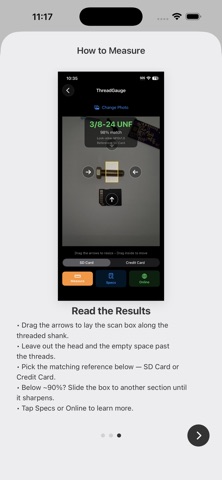
Thread Gauge turns your iPhone into a precision thread gauge. Photograph a screw next to a common reference card, and it measures the thread's pitch and diameter, then identifies the closest matching standard — in both metric and imperial. No calipers, no thread gauge set, no guesswork. Just a photo. HOW IT WORKS Lay the screw on a plain background, parallel to a reference card: a credit or ID card (85.6 mm) or a full-size SD card. Use the light intensity slider to apply enough light to minimize shadows around the screw. Use the bubble level to find the best lighting angle — a green dot inside the circle is ideal. Move your phone closer or farther to get the sharpest focus; the sharper the image, the more precise your measurement. Snap a photo or pick one from your library, choose which card you used, and tap Measure. ThreadGauge uses the card as a known scale to compute the real-world thread pitch and major diameter. It all runs on your device — no server, no account, no tracking. Nothing you photograph ever leaves your iPhone. WHAT IT IDENTIFIES - Metric coarse and fine (M-series) - Imperial UNC and UNF - Thread pitch (mm and TPI) and major diameter - The closest standard match, with a confidence indicator When two standards are nearly identical — for example, a #10-32 and M5×0.8 — Thread Gauge flags the ambiguity so you can confirm with a physical gauge instead of trusting a borderline read. FEATURES - Metric and imperial in one tool - Tap to look up any identified size online - On-screen guidance for lighting, angle, and framing - Made for makers, machinists, mechanics, and anyone holding a mystery bolt PRICING Your first 3 measurements are free. One simple in-app purchase unlocks unlimited measurements — no subscription, ever. PRIVACY Thread Gauge collects no personal data, and your photos stay on your device. Questions or feedback? Email imad.naqqash@gmail.com
Latest release
What’s New
Added support for Arabic, Spanish, Chinese (Simplified), German, and Japanese — Thread Gauge now follows your device language automatically. Bug fixes and improvements.
Audience growth
Ratings growth
Baseline captured. Growth appears after the crawler observes a changed rating count.
Momentum comes from crawler snapshots for the tracked storefront. “Viral growth signal” means unusually fast recent rating gains; it is an indicator, not download data.
Price tracking
Price intelligence
First snapshot captured. The trend line starts after the next crawler price observation.
- First observed Aug 19, 2026 · 10:55 AM Free
Screenshots