About this app
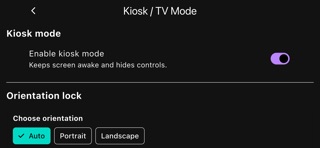
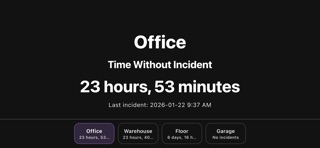
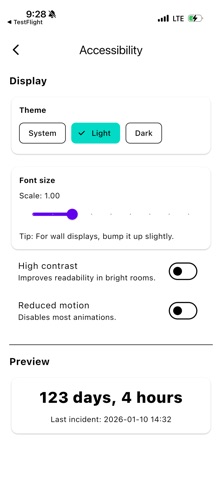
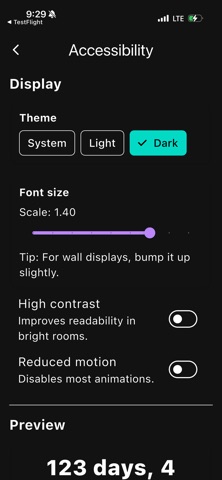
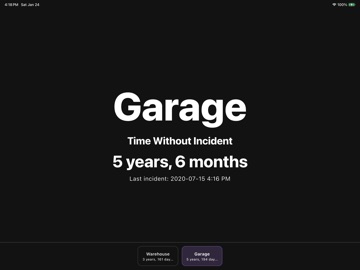
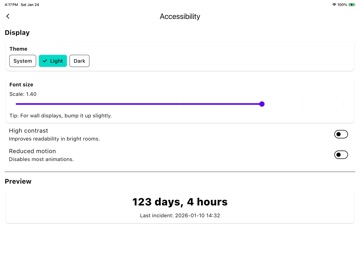
Track Time Since Last Incident - Simple, Reliable, Offline Time Without Incident is a straightforward safety tracking app designed for workplaces that need to display incident-free time for safety programs and operational awareness. PERFECT FOR: Wall-mounted TVs and kiosks Warehouses, shop floors, and facilities Tablets and desktop displays Offline and secure environments KEY FEATURES: Track multiple sections (offices, warehouses, departments, work zones) Large, readable counter display designed for distance viewing Kiosk mode for public displays with prevented resets Full offline operation (no internet required) CSV import/export for backup and audit purposes Orientation locking (portrait or landscape) Automatic section rotation for multi-location displays SIMPLE AND RELIABLE: Record incidents with a single tap. Each reset includes optional notes for context and audit trails. The app immediately updates the counter and provides a brief undo window. ACCESSIBILITY BUILT-IN: Adjustable font sizes Light, dark, and system theme support High-contrast mode Reduced motion option Screen reader compatible PRIVACY-FIRST & LOCAL DESIGN: All data stays securely on your device. Enjoy a completely ad-free experience with no cloud sync, no accounts, and no data collection. Perfect for secure facilities and compliance-focused organizations. FREE VERSION: Evaluate the app with a single section and full counter functionality before purchase. PAID VERSION ($29.99 one-time purchase): Unlock unlimited sections, kiosk mode, orientation controls, auto-rotation, and import/export. DESIGNED TO WORK: This app is built to sit on a wall and quietly do its job, day after day. It is designed for power-loss recovery with no splash screens or delays. It opens directly to your last viewed section. NO SUBSCRIPTIONS. NO RECURRING FEES. NO ADS. ONE-TIME PURCHASE. Perfect for facilities managers, safety officers, compliance teams, and any organization that tracks workplace safety metrics.
Latest release
What’s New
This is minor update that brings the application up to date with the latest technology.
Audience growth
Ratings growth
Baseline captured. Growth appears after the crawler observes a changed rating count.
Momentum comes from crawler snapshots for the tracked storefront. “Viral growth signal” means unusually fast recent rating gains; it is an indicator, not download data.
Price tracking
Price intelligence
First snapshot captured. The trend line starts after the next crawler price observation.
- First observed Aug 16, 2026 · 9:37 PM Free
Screenshots