About this app
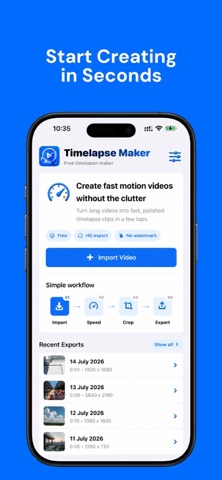
Turn long videos into smooth timelapse clips in just a few taps. Timelapse Maker helps you speed up videos from your iPhone or iPad, trim the best moment, choose a social-ready crop, and export a clean MP4 ready to save or share. Whether you are capturing a sunset, city traffic, travel footage, drawing process, cooking, cleaning, workouts, DIY projects, or any long moment worth speeding up, Timelapse Maker keeps the workflow simple and fast. Features: - Import videos from Photos - Speed presets from 2x to 128x - Custom speed control - Target duration mode to make clips the exact length you want - Trim the start and end of your video - Crop for Original, 9:16, 1:1, 16:9, and 4:5 - Export in Original, 4K, 1080p, or 720p when supported - Choose 24, 30, or 60 FPS - Mute audio or keep the original sound - Save to Photos - Share your exported video anywhere - Recent exports history Timelapse Maker is free to use, with no subscription, no in-app purchases, and no required watermark.
Audience growth
Ratings growth
Baseline captured. Growth appears after the crawler observes a changed rating count.
Momentum comes from crawler snapshots for the tracked storefront. “Viral growth signal” means unusually fast recent rating gains; it is an indicator, not download data.
Price tracking
Price intelligence
First snapshot captured. The trend line starts after the next crawler price observation.
- First observed Aug 11, 2026 · 1:53 AM Free
Screenshots