About this app
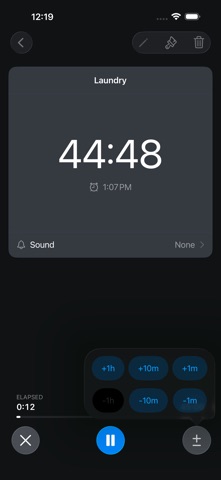
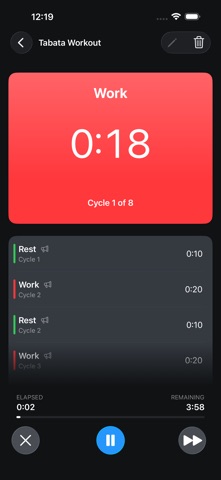
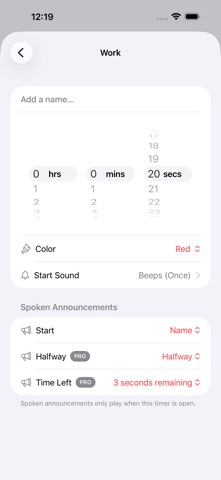
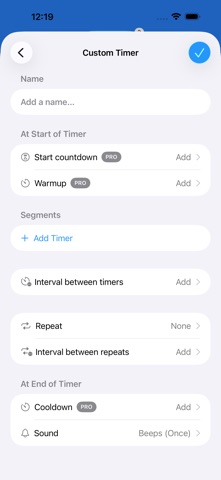
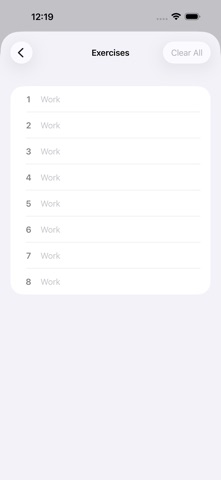
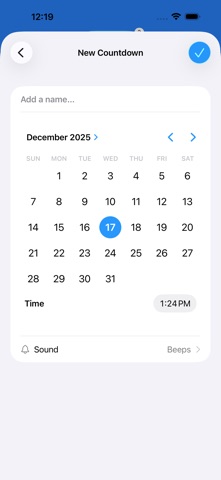
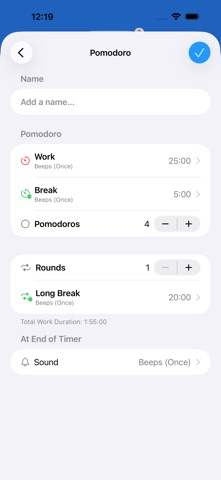
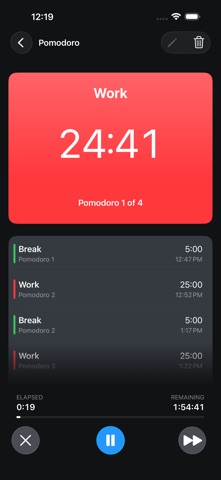
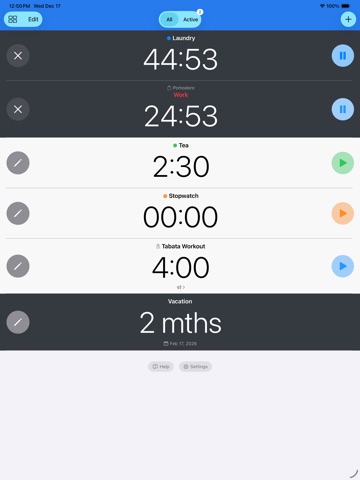
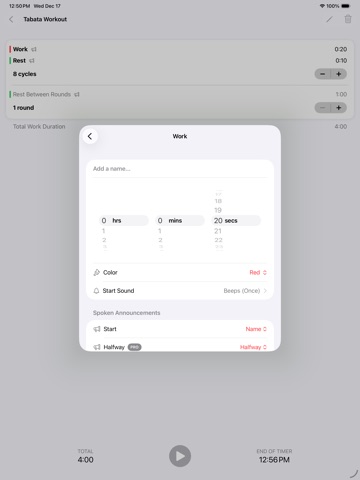
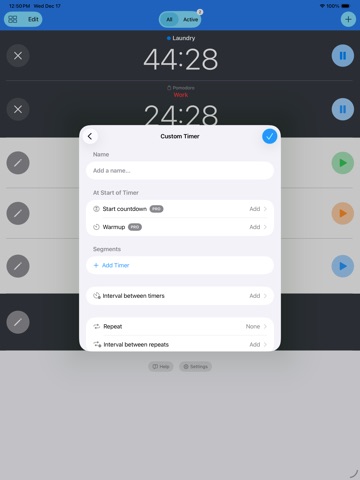
Set multiple timers and stopwatches at once. Build multi-step and interval timers for workouts, cooking, and daily routines. Adjust time on the fly without stopping. Timer+ handles everything you throw at it. Downloaded over 9 million times! Get the top timer app that’s repeatedly rated 5-stars by users. Create, label and reuse timers for anything – yoga stretches, cooking rice, workouts, timed quizzes, therapeutic treatments or remembering to take your pills. Perfect for busy people, multi-taskers, and forgetful folks. Loved by parents, athletes, chefs, teachers and students… TIMERS Great for laundry, cooking, naps, meetings, and study sessions. + Count down for a set duration (up to 99 days) + Repeat up to 64 times + Add or remove time while a timer is running + Pause, resume, and skip repeated runs + Count up after a timer ends so you can extend it or see when it finished + Show eligible non-repeating timers on your Lock Screen and Dynamic Island STOPWATCHES Great for workouts, speeches, meditation, therapy, and timing between medications. + Track elapsed time from the moment you start + Pause and resume anytime + Record laps and assign custom names so they are easy to identify in history + Show eligible running stopwatches on your Lock Screen and Dynamic Island COUNTDOWNS Best for birthdays, deadlines, appointments, travel days, and other important events. + Count down to a specific date and time + Count up after the target time passes CUSTOM AND INTERVAL TIMERS Ideal for Tabata, HIIT, yoga flows, breathing exercises, baking bread, and other multi-step routines. + Build multi-segment timers with as many steps as you need + Set a custom name, duration, color, and sound for each segment + Hear voice announcements at the start, halfway point, and with 10 or 3 seconds left + Add Countdown To Start, Warmup, and Cooldown segments + Add rest intervals between rounds + Repeat full routines for a set number of rounds, with optional time between sets TIMER TEMPLATES + Tabata and HIIT templates for work and rest intervals + Pomodoro and Focus templates for work and break cycles + EMOM templates for every-minute-on-the-minute training TIMER HISTORY + Save each timer run so you can review it later WIDGETS + Add Home Screen widgets for any timer + Start, stop, and reset timers from a widget + Use the Active Timers widget to see all running timers APPLE WATCH + Start timers on Apple Watch + See running timers on Apple Watch APP INTENTS & SHORTCUTS + Create, start, stop, and reset timers with App Intents and Shortcuts QUESTIONS AND ANSWERS Q: Why use Timer+ instead of the built-in Clock app? A: Use Timer+ when the built-in Clock app is too limited for the way you actually time things. It is better for workouts, cooking with multiple dishes, productivity sessions, medications and daily routines because you can save reusable timers, run multiple stopwatches, repeat timers automatically, adjust time while a timer is running, run very long timers up to 99 days, and keep timing after a timer ends so you can see how late it is or keep going without starting over. Q: What is included in Timer+ Pro? A: Timer+ Pro is a paid tier that enables unlimited timers, unlocks the full timer history, unlocks advanced voice announcements and timer segments like Warmup and Cooldown, and removes all ads. www.timerplusapp.com/privacy www.timerplusapp.com/terms
Latest release
What’s New
+ Organize your timers into folders! Create folders in your library, move one or several timers at once, and arrange folders in any order. All Timers still shows everything, grouped by folder. + Timer+ is now much faster with large timer libraries. + General bug fixes and improvements.
Audience growth
Ratings growth
Momentum comes from crawler snapshots for the tracked storefront. “Viral growth signal” means unusually fast recent rating gains; it is an indicator, not download data.
Price tracking
Price intelligence
- First observed Aug 17, 2026 · 4:36 AM Free
Screenshots