About this app
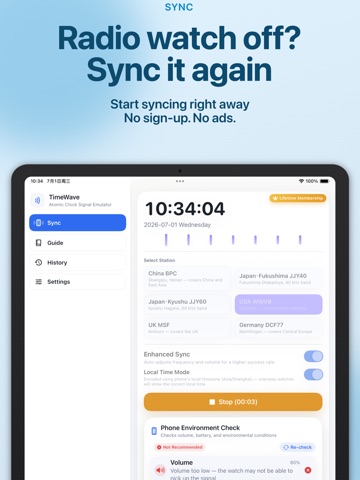
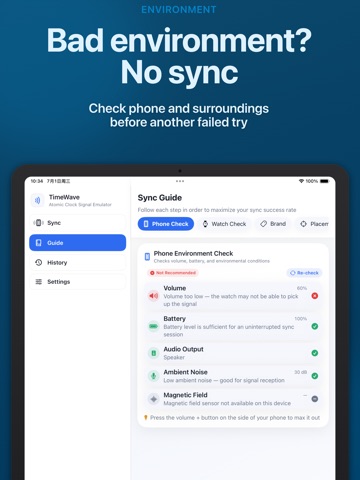
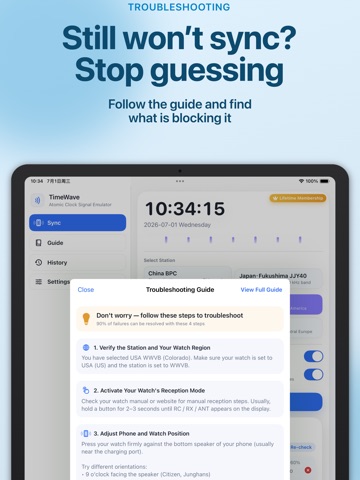
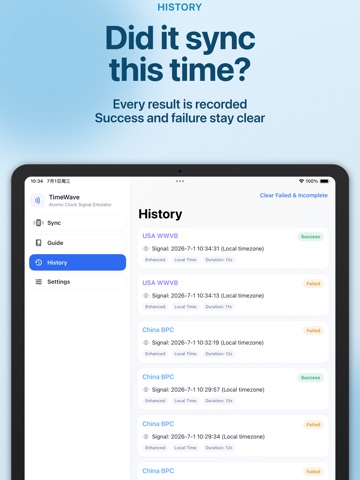
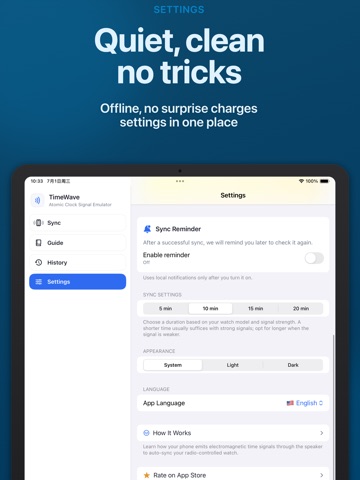
TimeWave is a professional time-signal simulator designed for radio-controlled watches and clocks. When your watch cannot reliably receive a terrestrial time signal, TimeWave can generate a compatible time code through your iPhone or iPad speaker, wired headphones, or supported Bluetooth audio devices. This helps your watch perform manual reception and synchronize its time wherever you are. No ads. No account required. No personal data uploaded. Core synchronization features work offline. SUPPORTED TIME SIGNALS • BPC — China • JJY40 / JJY60 — Japan • WWVB — United States • MSF — United Kingdom • DCF77 — Germany KEY FEATURES ENVIRONMENT PRE-CHECK Before transmission begins, TimeWave checks device volume, battery level, ambient noise, and magnetic-field conditions. It then provides practical recommendations to help reduce common synchronization failures. SMART OUTPUT TUNING TimeWave adjusts signal parameters for different audio output paths, including the built-in speaker, wired headphones, and supported Bluetooth audio devices, helping maintain a stable transmission. LOCAL TIME MODE Designed for imported and overseas watch models. Generate a compatible time signal using your selected local time zone, making it easier to synchronize watches that do not support your local transmitter. WATCH-SPECIFIC GUIDES Follow step-by-step guides for popular radio-controlled watches from Casio G-Shock and Multiband 6, Citizen Eco-Drive, Seiko, Junghans, Braun, and more. Guides may include: • Manual reception instructions • Antenna-position diagrams • Recommended watch placement • Reception-status indicators • Troubleshooting suggestions Actual compatibility depends on the watch model and the time-signal standard it supports. MULTIPLE PLACEMENT METHODS View clear diagrams for positioning your watch near an iPhone or iPad speaker, wired headphone cable, or supported audio device. OUTPUT PROTECTION TimeWave controls signal amplitude according to the selected output path and provides warnings when device conditions may be unsuitable for transmission. LIVE SIGNAL VISUALIZATION Watch the current time code and transmission waveform in real time, with a clear view of progress and remaining time. SYNC HISTORY Save synchronization sessions and record whether each attempt succeeded or failed. Review previous attempts to compare stations, placement methods, and device settings. PRIVATE AND OFFLINE TimeWave does not require an account and does not upload your personal data. Core time-signal generation and watch guides are available offline. HOW TO USE 1. Choose a supported time-signal station or enable Local Time Mode. 2. Put your watch into manual reception mode. On some G-Shock models, this may be shown as RC, RX, or GET. 3. Position the watch antenna close to your iPhone or iPad speaker, wired headphone cable, or supported audio device, following the in-app diagram. 4. Increase the volume and keep both the watch and device still. 5. Start transmission and wait approximately 2–10 minutes. Check the reception indicator on your watch to confirm the result. TIPS FOR BETTER RECEPTION • Keep the watch and device away from chargers, power adapters, computers, televisions, speakers, and other sources of electromagnetic interference. • Watch reception depends on the model, antenna direction, volume, output device, placement, and surrounding environment. • If your imported watch does not support your local transmitter, select a compatible signal standard and use Local Time Mode when needed. • For the best results, select your watch brand or model in TimeWave and follow the recommended placement guide. TimeWave is an independent utility and is not affiliated with, endorsed by, or sponsored by any watch manufacturer or time-signal authority. Brand and product names are used only to describe compatibility. Questions or suggestions? Contact: [fish2next@gmail.com](mailto:fish2next@gmail.com)
Latest release
What’s New
Improved signal playback logic to increase the success rate of syncing radio-controlled watches.
Audience growth
Ratings growth
Baseline captured. Growth appears after the crawler observes a changed rating count.
Momentum comes from crawler snapshots for the tracked storefront. “Viral growth signal” means unusually fast recent rating gains; it is an indicator, not download data.
Price tracking
Price intelligence
- First observed Aug 22, 2026 · 4:25 PM Free
Screenshots