About this app
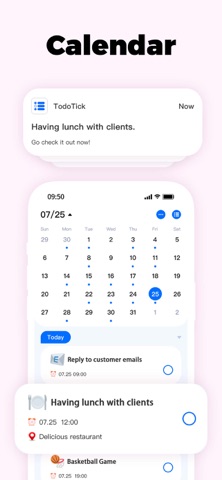
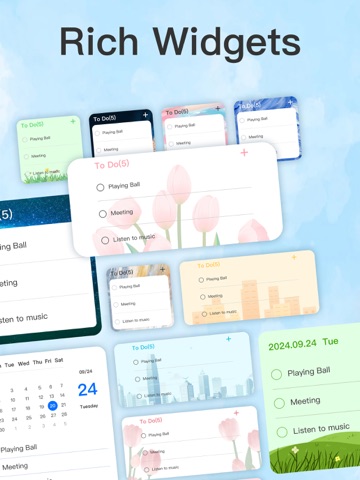
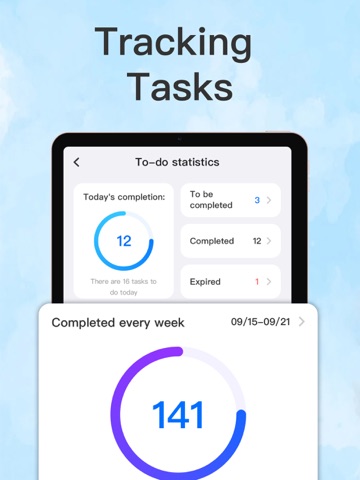
Meet TodoTick – Your AI-Powered To-Do & Daily Planner Staying productive has never been easier. TodoTick combines powerful task management with intelligent AI to help you organize, plan, and conquer your day — all in one sleek, intuitive app. Core Features: AI Task Assistant Turn a messy list into a clear action plan. Use our built-in AI to analyze your tasks, set priorities, and auto-schedule your day based on urgency and availability. Smart Reminders Never miss a deadline with customizable alerts — including time, location, and recurring reminders. Your routine stays on track effortlessly. Easy Task Organization Create categories like Work, Personal,life, Health. Drag & drop to prioritize. Stay focused on what matters most. Visual Progress & Motivation Track completed tasks, daily streaks, and trends with simple visuals that help build momentum and keep you motivated. Beautiful, Minimal Interface Clean and distraction-free. Designed to help you focus — not get lost in buttons. Why Choose TodoTick? AI that understands you: Input tasks naturally and let AI sort them out All-in-one planner: Tasks, calendar, reminders, and scheduling in one place Customizable & personal: Tailor categories, reminders, and more Private & secure: Your data is encrypted and absolutely safe Built to evolve: We’re always updating with new features based on real user feedback Whether you're juggling work, school, or just daily life — TodoTick’s AI makes planning fast, effortless, and even fun. Download TodoTick today – and let AI help you take control of your day. Notes on subscriptions: Subscriptions within this app require additional fees. If you subscribe through the App Store, the fee will be charged to the App Store account at confirmation of purchase. Subscriptions will automatically renew upon expiration unless auto-renew is turned off at least 24 hours before the end of the current subscription period. Account will be charged for renewal at the rate of the selected plan within 24 hours prior to the end of the current subscription period. You can manage subscriptions and auto-renewal through the App Store account settings after purchase. Privacy Policy: https://sites.google.com/view/todoist-privacy-policy Terms: https://sites.google.com/view/todoitsterms
Latest release
What’s New
Version 1.4.4 Thank you for using To Do List & Calendar TodoTick! In this update: - Improved user experience for smoother navigation and enhanced usability. - Fixed known bugs to ensure a more reliable app performance. We appreciate your support and feedback as we continue to make TodoTick better for you!
Audience growth
Ratings growth
Baseline captured. Growth appears after the crawler observes a changed rating count.
Momentum comes from crawler snapshots for the tracked storefront. “Viral growth signal” means unusually fast recent rating gains; it is an indicator, not download data.
Price tracking
Price intelligence
First snapshot captured. The trend line starts after the next crawler price observation.
- First observed Sep 5, 2026 · 8:57 PM Free
Screenshots