About this app
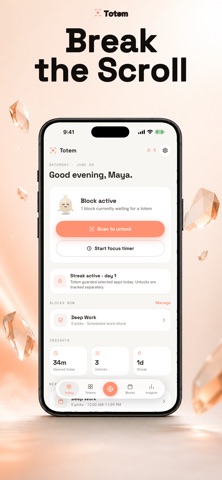
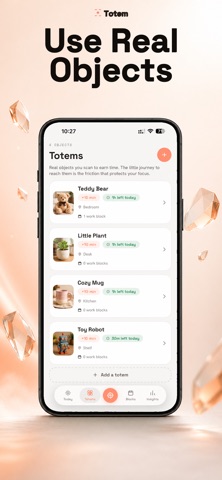
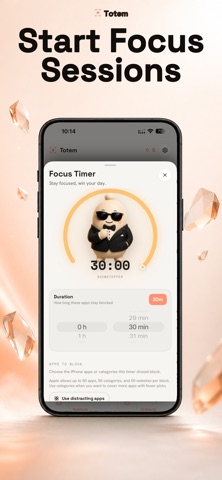
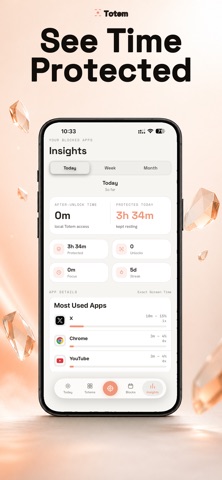
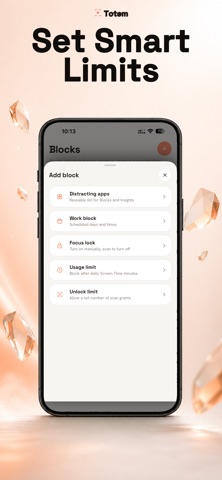
Most app blockers fail for one reason: the "skip" button is always within reach. Totem moves it across the room. Lock your most distracting apps and websites behind a real object in your home: a book on the shelf, the kettle, a stone by the door. Want them open? You get up, walk to your totem, and scan it. The apps unlock for the time you chose. That short walk is the pause that was always missing. Willpower isn't the fix. Distance is and most days you won't even reach the totem. The walk ends the urge before you get there. HOW IT WORKS 1. Pick the apps and sites that pull you in. 2. Choose when they're locked — a daily schedule, a focus session, or a daily limit. 3. Register a real object as your totem (scan it by Photo, Object, QR sticker, or NFC tag). 4. To open your apps, walk over and scan. No scan, no scroll. WHY IT WORKS • Your apps go quiet — during your blocks, iOS shields the apps you chose. They're still yours, just resting. • A real object holds the key — other blockers keep the bypass a tap away. Totem puts it across the room. • The walk is the choice — by the time you reach your totem, the impulse has usually passed. Scan only if you still mean it. WHAT YOU GET BACK Totem counts the hours it guards for you — and you'll feel them: an evening that's actually yours, the book you keep not finishing, the streak you don't want to break. FEATURES • Block any app or website with Apple Screen Time • Scheduled blocks, instant focus sessions, and a focus countdown timer • Daily limits — cap minutes or number of unlocks per app • Three ways to scan — photo recognition, QR sticker, or NFC tag • Hard Lock — once a block starts, the only way past is the walk • Streaks & insights — guarded hours, scans, and your most-walked totem • Gentle, never-shaming nudges (plus sleep mode, accent colors, and haptics) ** All features described above required subscription.* BUILT ON YOUR OWN NUMBERS Five quick questions. Then Totem does the math you've been avoiding: what your current pace costs you this year — and over a lifetime. No guilt. Just your number, and a lock with a walk attached. YOUR PRIVACY STAYS YOURS Totem only ever receives anonymous tokens from Apple — it never sees the names of the apps you pick. Your answers and your plan stay on your iPhone. Setup takes about five minutes. Pick your totem, and from here, it's just a walk. Requires Screen Time permission (Family Controls). Privacy Policy: https://www.maydora.com/privacy.html Terms of Use: :https://www.apple.com/legal/internet-services/itunes/dev/stdeula/ Support: info@maydora.com
Audience growth
Ratings growth
Baseline captured. Growth appears after the crawler observes a changed rating count.
Momentum comes from crawler snapshots for the tracked storefront. “Viral growth signal” means unusually fast recent rating gains; it is an indicator, not download data.
Price tracking
Price intelligence
First snapshot captured. The trend line starts after the next crawler price observation.
- First observed Aug 20, 2026 · 12:20 AM Free
Screenshots