About this app
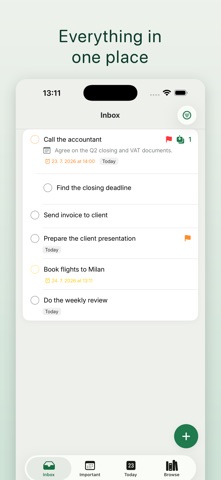
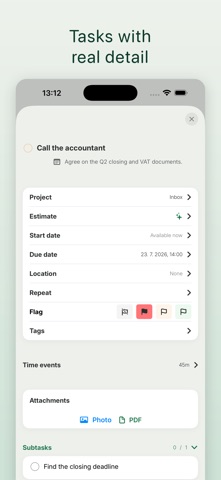
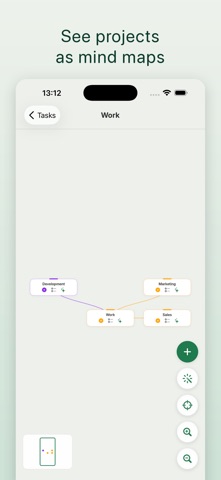
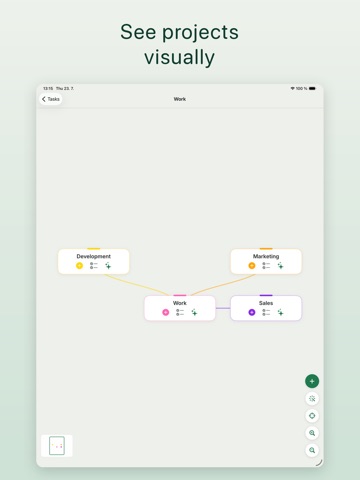
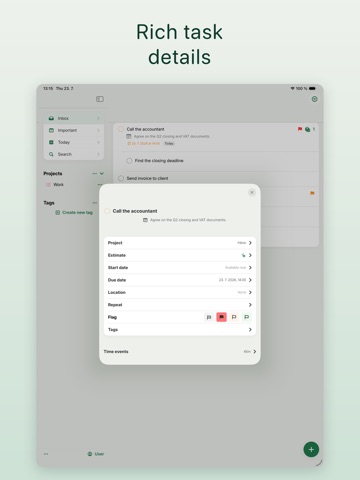
Traguardo is a calm, focused planner that helps you plan less and finish more. Capture anything in plain language, let AI organize it, and let auto-scheduling build your day for you. Keep everything private on your device, or sync seamlessly across iPhone, iPad, Mac, and Apple Watch. WHY TRAGUARDO • Clean and calm — no clutter, just your work • Private by default — fully usable offline, no account required • AI that handles the busywork, not the thinking PLAN WITH AI (Premium) • Natural-language capture — type "Email Anna Friday 3pm #work" and it's parsed for you • Auto-scheduling — Traguardo plans your day and blocks the time • Break big goals into subtasks in one tap • Snap a photo of your notes or a whiteboard and turn it into tasks • Start the day with an AI morning briefing ORGANIZE YOUR WAY • Projects, folders, tags, and custom perspectives • Mind maps to think visually and branch ideas • A clean Today view with your daily timeline • Rich recurring tasks, start/defer dates, and reminders • Location reminders — get nudged when you arrive or leave • Pomodoro focus timer and timesheets EVERYWHERE YOU WORK • iPhone, iPad, Mac, and Apple Watch • Widgets for any list, project, or perspective • Sync across all your devices • Share projects and collaborate PRIVATE BY DESIGN Use Traguardo completely offline with no account — your data never leaves your device. Create an account only when you want sync. Your data is stored in the EU and never sold. FREE & PREMIUM Traguardo is free to use. Premium unlocks AI, auto-scheduling, unlimited projects, and Apple Watch — with a 7-day free trial. Plan less. Finish more. — Traguardo Premium is an auto-renewable subscription. Payment is charged to your Apple ID and renews automatically unless canceled at least 24 hours before the end of the period. Manage or cancel anytime in your Apple ID settings. Terms of Use: https://traguardo.app/terms Privacy Policy: https://traguardo.app/privacy
Latest release
What’s New
• Task detail now opens beside your list on Mac • New date picker with quick options, including end of month • Due dates are visible again in lists • Duplicating a task keeps its dates and location reminder • New tasks are written directly in the list • Notification fixes and more complete translations
Audience growth
Ratings growth
Baseline captured. Growth appears after the crawler observes a changed rating count.
Momentum comes from crawler snapshots for the tracked storefront. “Viral growth signal” means unusually fast recent rating gains; it is an indicator, not download data.
Price tracking
Price intelligence
First snapshot captured. The trend line starts after the next crawler price observation.
- First observed Aug 8, 2026 · 1:03 PM Free
Screenshots