About this app
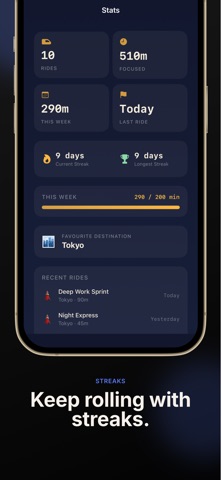
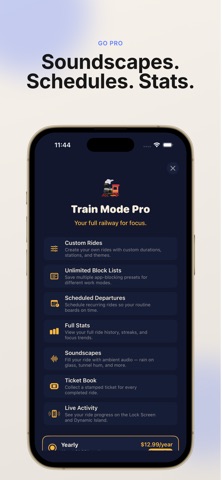
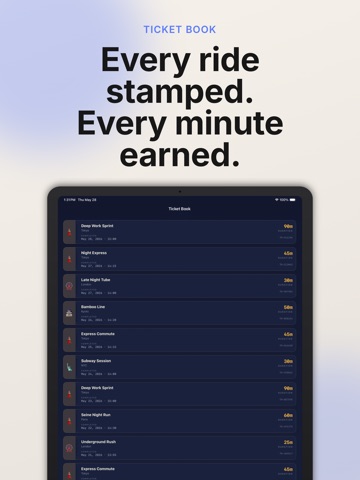
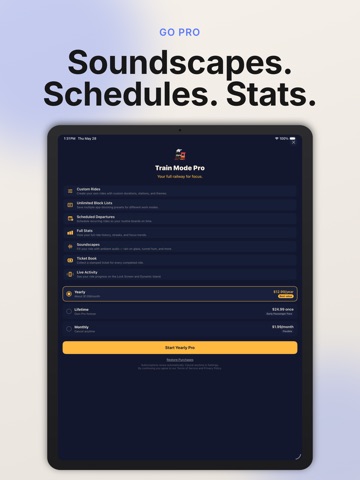
All aboard for fewer distractions. Train Mode turns focus into a calm train ride. Choose a city, pick a route, board the train, and stay on track while you work, study, read, write, or take a break from distracting apps. Instead of staring at a plain timer, Train Mode gives your focus session a beginning, a journey, and an arrival. Your ride moves through station milestones, helping you feel progress without constantly checking your phone. HOW IT WORKS Choose a city. Pick a train ride. Board the train. Stay focused until you arrive. Train Mode is designed for people who want a more playful, calming way to start and finish focused sessions. FEATURES • Train-themed focus sessions Pick a ride and turn your work time into a journey. • City and route selection Choose from different cities and train rides, each with its own mood and duration. • Station progress Move through simple station milestones as your session continues. • App blocking support Use Screen Time permissions to help block selected distracting apps and categories during a ride. • Arrival summary When the ride ends, see your completed session and celebrate arriving on track. • Calm visual design A cozy train-inspired interface with clean routes, gentle progress, and a focused atmosphere. • Flexible focus lengths Use short rides for quick resets or longer rides for deeper work. TRAIN MODE PRO Unlock more ways to build your personal railway for focus. Pro features may include: • Custom train rides Create your own routes, durations, and station names. • More blocking presets Set up different app-blocking lists for work, study, reading, sleep, or creative time. • Scheduled departures Plan recurring focus rides so your routine starts on time. • Focus stats Track completed rides, focus minutes, streaks, and recent sessions. • Ticket stamps Collect a ticket each time you complete a ride. • Ambient train sounds Add a calming train atmosphere to your focus session. WHY TRAINS? A train ride has a clear departure, a route, and an arrival. Train Mode uses that simple idea to make focus feel less like forcing yourself to be productive and more like stepping into a quiet carriage for a little while. Use Train Mode for: • Studying • Writing • Reading • Deep work • Homework • Creative projects • Screen breaks • Reducing social media distractions • Building a calmer daily routine IMPORTANT NOTE Train Mode cannot turn on Airplane Mode automatically. Instead, it can help block selected distracting apps using Apple’s Screen Time permissions. Board a ride. Leave distractions at the station. Privacy Policy: corearcstudio.com/trainmode/privacy Support: corearcstudio.com/trainmode/support Terms of Use: https://www.apple.com/legal/internet-services/itunes/dev/stdeula/
Audience growth
Ratings growth
Baseline captured. Growth appears after the crawler observes a changed rating count.
Momentum comes from crawler snapshots for the tracked storefront. “Viral growth signal” means unusually fast recent rating gains; it is an indicator, not download data.
Price tracking
Price intelligence
First snapshot captured. The trend line starts after the next crawler price observation.
- First observed Aug 8, 2026 · 10:23 PM Free
Screenshots