About this app
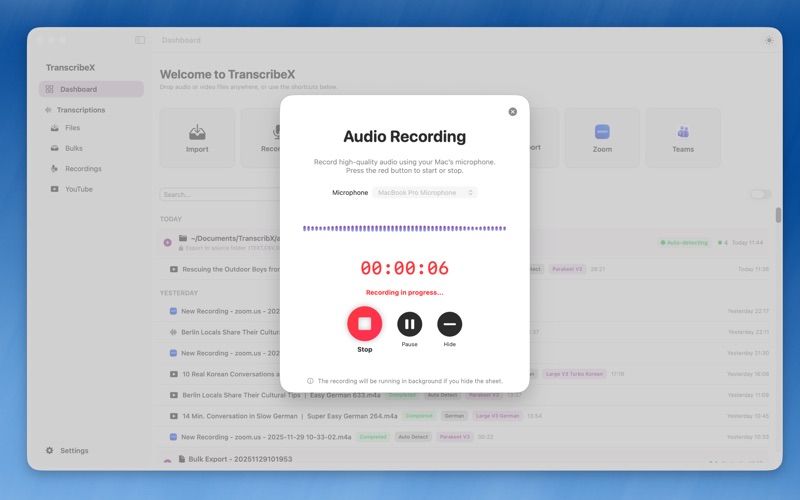
TranscribeX is a powerful macOS app that transforms your audio and video into accurate, editable transcripts in seconds. Powered by OpenAI Whisper and NVIDIA Parakeet, it delivers professional-grade transcription and translation with unmatched speed, precision, and privacy — all running locally on your Mac, so your data never leaves your device. Whether you’re a journalist, podcaster, student, or professional, TranscribeX helps you transcribe, translate, summarize, and edit effortlessly using advanced AI tools. Key Features - Import local audio and video files and transcribe - Transcribe multiple files at once (batch transcription) - Drag-and-drop support for files - Record audio with your Mac’s microphone and transcribe - Capture audio directly from other macOS applications - Recognize and transcribe more than 100 languages - Powered by OpenAI Whisper for highly accurate results - Powered by NVIDIA Parakeet, which runs up to 20× faster than Whisper while maintaining the same level of accuracy - Automatic Speaker Diarization – automatically separate and label different speakers in your recordings - Use predefined AI prompts to speed up your workflow - Translate transcripts into 100+ languages with Apple Translate or DeepL - Summarize transcripts using ChatGPT, Gemini, and more (API key required) - Customize speaker names for each transcript segment - Merge and edit transcript segments with ease - Reflow segments by a custom number of characters or words per line - Edit segment time ranges manually - Manually create new segments - Word-level text following while playing audio or video - Export to multiple formats including TXT, PDF, SRT, and VTT - Local transcription and translation with no data leaking for maximum privacy - GPU acceleration for faster transcription speed - Built-in audio and video playback - Global search with keyword highlighting - Reveal the original audio or video file in Finder - Delete the original audio or video file - Switch between compact mode and segment mode for better viewing - Play videos with synchronized subtitles - Enhanced performance for long videos - Support for multiple file formats including MP3, MP4, M4A, WAV, OGG, MOV, OPUS and any formats with audio tracks Pro Features - Unlock all Whisper models for optimal balance between speed and accuracy - Unlock all NVIDIA Parakeet models - Automatic Speaker Diarisation - Summarization with LLM models - Record audio from any macOS application - Configure and label speakers precisely - Get word-level accuracy with detailed timestamps - Export transcripts with advanced formatting options - Priority support and future Pro features included - 7-day refund guarantee for complete peace of mind Terms and Conditions: https://www.transcribex.io/terms_and_conditons.html Privacy Policy: https://www.transcribex.io/privacy_policy.html
Latest release
What’s New
Significant improvements to OpenAI Whisper and Speaker Diarization speed, accuracy, and model options (including Parakeet streaming, local LLMs like Qwen/Gemma, and Pyannote integration). Added real-time transcription, translation, and in-meeting AI Chat support for live meetings, recordings, and background execution. Redesigned the Live Caption overlay with custom fonts, styles, translucent view modes, and selective translation displays. Introduced a new Dictation mode featuring AI-powered text polishing. Added app video recording capabilities, fixed window capture targeting issues, and enabled automatic background saving. Integrated Mac Calendar integration to automatically name recordings based on event names, with customizable calendar selection. Enhanced export options, including single-file Markdown combining summaries and transcripts, bulk export timestamp toggles, and customized CSV timestamp formats. Streamlined the onboarding setup by integrating core system permission requirements directly into the initial launch process. Continuous general bug fixes, performance improvements, and UX optimizations.
Audience growth
Ratings growth
Baseline captured. Growth appears after the crawler observes a changed rating count.
Momentum comes from crawler snapshots for the tracked storefront. “Viral growth signal” means unusually fast recent rating gains; it is an indicator, not download data.
Price tracking
Price intelligence
First snapshot captured. The trend line starts after the next crawler price observation.
- First observed Sep 30, 2026 · 9:45 AM Free
Screenshots