About this app
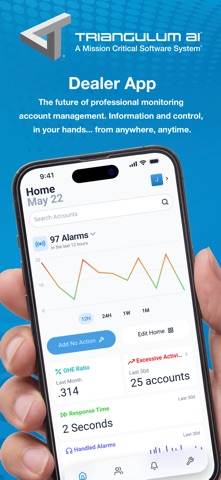
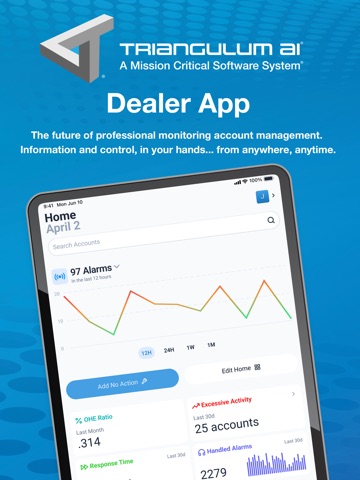
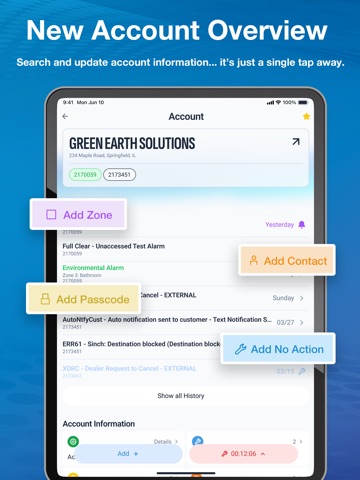
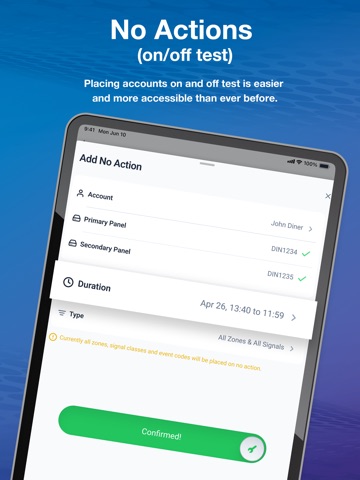
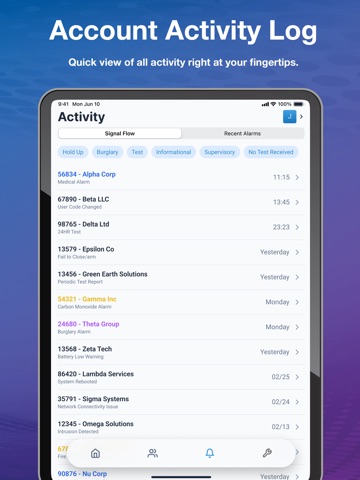
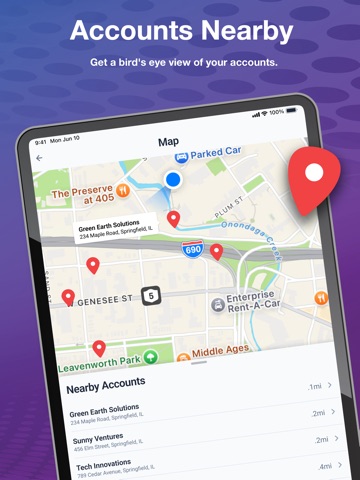
==Modern Interface== We're propelling Triangulum AI into the future with a modern user interface. Access all the features you know and love, now in a faster, more intuitive flow. With enhanced responsiveness, navigating and managing your account base has never been easier. A new dark mode has also been introduced so you can customize the app's feel to your liking. ==New Metrics Dashboard== View account base statistics that give you the ability to view the health of your accounts, address issues faster, and support a great customer experience. Customize the home page to your liking by toggling on and off the features you want to see. ==Easier Account Test Management== Use our improved no action flow to place accounts on and off test. You can view and interact with active no actions for your account base right from the home page or place a no action right from the new account overview page. Active no actions now have a live countdown timer that is visible from the account overview page, with the ability to quickly extend the time or remove it if you no longer need it. Once the no action has expired, grab the zone test report for quick documentation of all the signals that came in while the account was on no action. ==Nearby Accounts== Enhanced location services now give you the ability to view all of your accounts on the new dashboard maps page. You can also navigate to them easily from the individual account page! ==Enhanced Account Overview== Account information and updates are now just a tap away with our new Account Overview page. Everything you need to know about an account is all in one place. Edit zones, update contacts, manage panel information, and view account history in an easy-to-use flow. ==Security is Standard== Enable biometrics right from the settings to make your sign-in experience seamless across the Triangulum AI suite. Multi-factor authentication is standard, so you can rest easy knowing your data is secure.
Latest release
What’s New
Version 2.1.0 We’ve made improvements to help ensure a smoother, more reliable experience. What’s New - Improved settings page layout and controls - Updated visuals in no action details - Improved error handling - General performance improvements and stability fixes
Audience growth
Ratings growth
Baseline captured. Growth appears after the crawler observes a changed rating count.
Momentum comes from crawler snapshots for the tracked storefront. “Viral growth signal” means unusually fast recent rating gains; it is an indicator, not download data.
Price tracking
Price intelligence
First snapshot captured. The trend line starts after the next crawler price observation.
- First observed Aug 2, 2026 · 6:08 PM Free
Screenshots