About this app
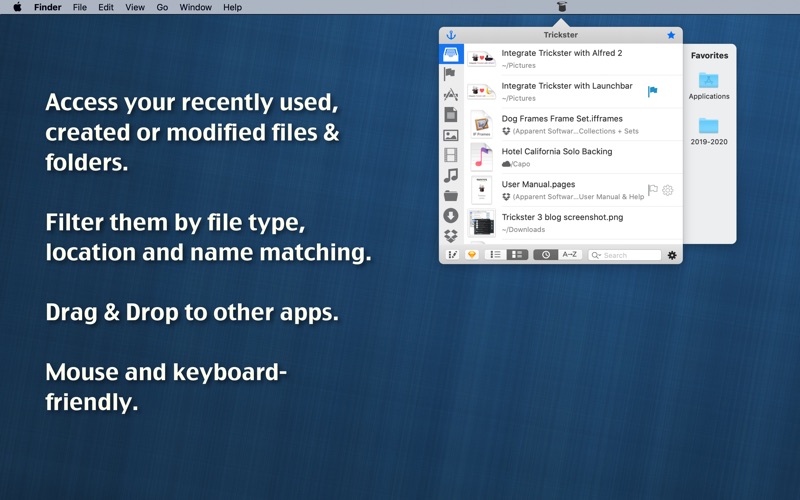
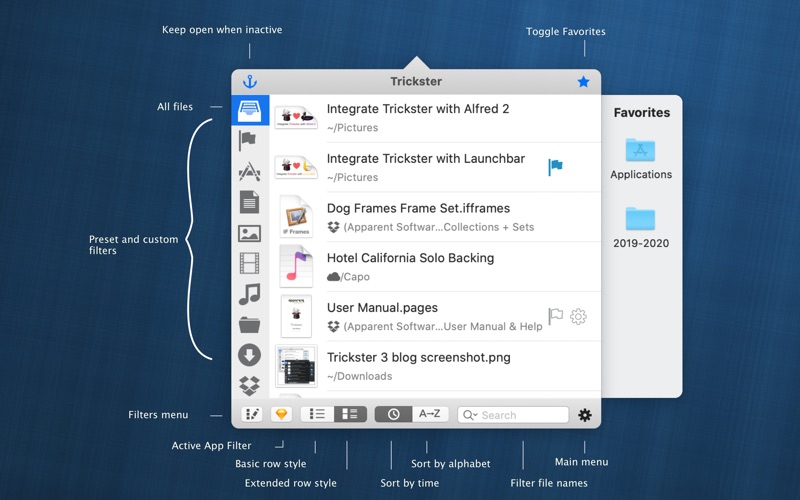
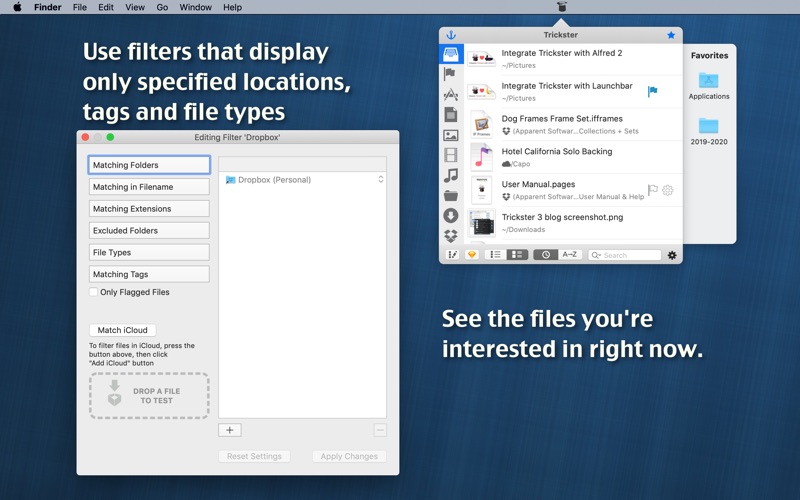
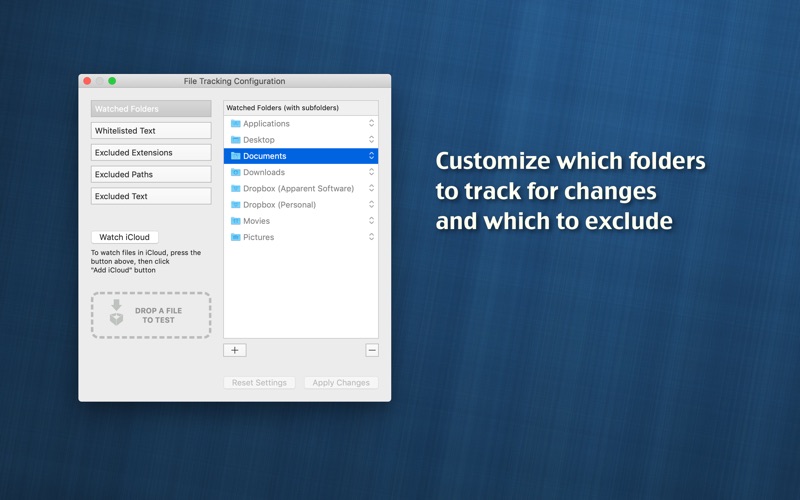
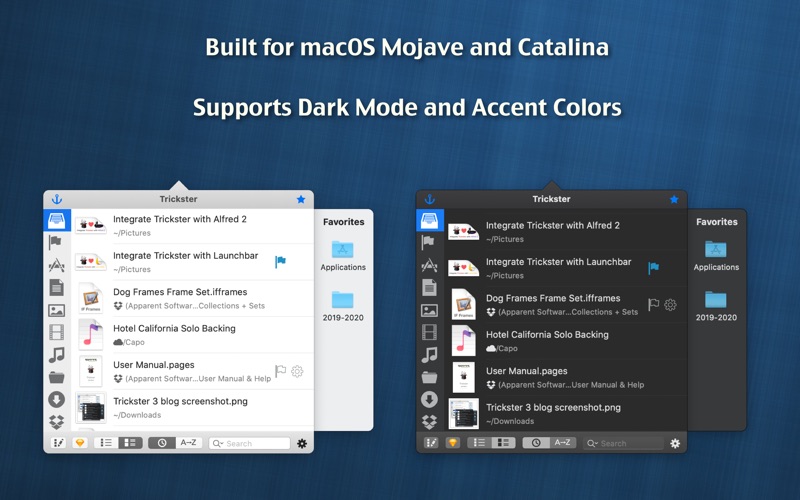
Trickster - Quickly act on relevant recent files, folders, and apps If you work with files at all, Trickster is the ultimate productivity booster for you. What are others saying about Trickster? ***************************************** - "Incredibly useful, nicely designed. The simple 'Help' is perfect" - Smile Software - "A handy tool for tracking and working with documents, folders, and other data." - Macworld (4 mice) - "Trickster is easy to figure out, fast, and looks nice." - $2-tuesday - "Where Trickster does the trick for me is with its keyboard navigation." - Macstories - "I’m always on the lookout for productivity boosters, and Trickster has me in love." - TheNextWeb ***************************************** Quickly access to your recently used documents, folders, and applications. All your important stuff is now just a couple of clicks away, accessible from your menu bar. Did you just open a document in Pages? It’s in Trickster. Did you just download a file? Don’t bother searching your downloads folder. Trickster has it one click away. Did Dropbox sync files from another computer? It's in Trickster. Everything you were supposed to be working on is a click away, ready when you are. Some of the things Trickster can do: ***************************************** - Drag and drop files from Trickster to Finder or any other application like you'd do from Finder. - Open files and applications from Trickster, preview them or reveal in Finder. - Includes Preset filters to only display images, audio files, videos, documents, applications, folders and specific locations. - Create your custom filters based on location, file types, Finder tags or string matching. - Track only relevant files and ignore all the rest. - Favorites "sticky" bar gives you fast access to your most frequently used files, folders, and applications. Drop files on a 'favorite' folder to move it there or drop on a 'favorite' application to open it with that particular app. Trickster is keyboard-friendly. For ultimate productivity and speed, you can use it entirely without a mouse or combine mouse with keyboard shortcuts and hotkeys.
Latest release
What’s New
Fix DEVONthink items not appearing in Trickster, in most cases
Audience growth
Ratings growth
Baseline captured. Growth appears after the crawler observes a changed rating count.
Momentum comes from crawler snapshots for the tracked storefront. “Viral growth signal” means unusually fast recent rating gains; it is an indicator, not download data.
Price tracking
Price intelligence
First snapshot captured. The trend line starts after the next crawler price observation.
- First observed Aug 8, 2026 · 12:42 AM $29.99
Screenshots