About this app
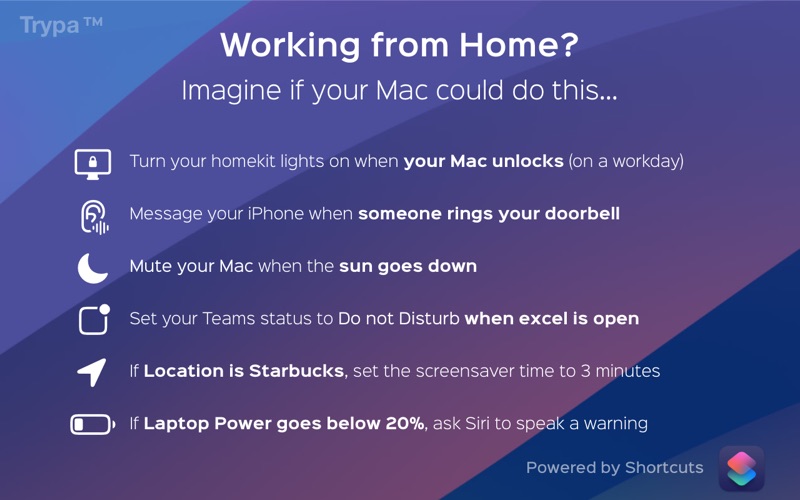
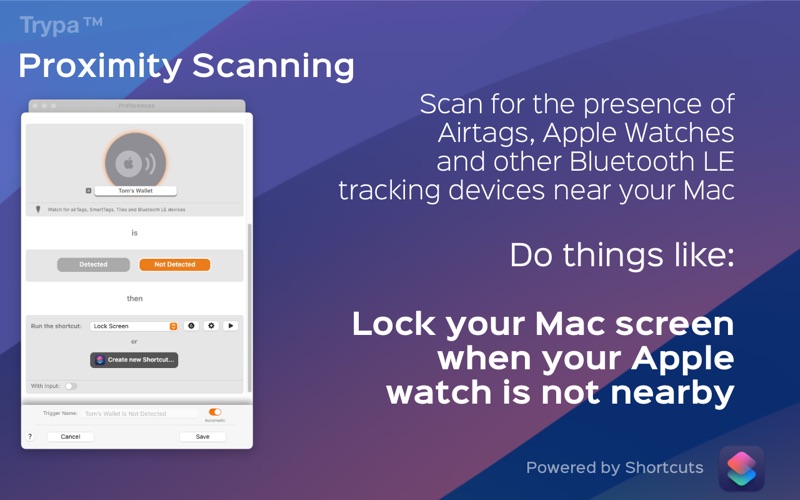
Automate your Automations In a few seconds, automate your automations and set up triggers using different environmental, hardware and network scenarios. Trigger any Mac shortcut automatically and securely. From a simple keyboard shortcut to Machine Learning based audio analysis. Trypa is a discreet menubar app, built for the Mac, Tahoe ready, fully sandboxed and all data stays on device and backed and up to your iCloud account. Need more? Go further and pass input data from your Trypa triggers directly into your shortcuts to speak trigger names or chain more complex shortcuts. Trypa also adds Trypa functionality into your existing Mac Shortcuts via Actions, so you can access triggers from Trypa from within your existing workflows. Current Triggers Supported: • AirTag / Tile Proximity detection • Sound Recognition (powered by CoreML) currently 87 different sounds supported (phones, doorbells, alarms etc.) • Calendar events (Trigger a shortcut when matching event is occurring) • Time and Date, specific time and date or on days of the week • Mouse / Trackpad buttons and Scroll wheel • Keyboard Shortcuts • Microphone Usage • Location Detection, use geofences to detect when you enter or leave any location • Apple Music (Track, Album, Artist and Genre and Lyric matching) • Sunrise / Sunset Detection • Boot time detection (trigger something on startup) • Bluetooth Devices • USB devices • Wifi Connected network • Text file string matching • Network Interface (wifi, ethernet, VPN, etc) • Internet Connected • Displays (Number of connected displays) • Display Lock / Unlock Status • Audio Devices • App Detection (running or not running) • Laptop Battery Level, AC Power connection and low power mode • Empty Drive Space detection, check when your boot drive is getting too full • Mounted / Unmounted Drive detection, look for specific drives or disk images being plugged in and removed • Focus Detection, check which focus mode is enabled or disabled • File/Folder detection, check for new files or missing files • Thermal Stress, watch for computer working too hard or cooling down • Wifi SSID, check for a specific wifi network, great for location adjustment • Free Memory (RAM) detection Extra Actions automatically added to Shortcuts.app: • Pause a Trypa trigger • Resume a Trypa trigger • Pause all triggers • Resume all triggers • Get Trigger Name • Get all USB Devices • Get Total RAM • Get Free Ram • Get Logged in User name • Get Current Audio Output • Get Screen Locked (on or off) • Get Number of Displays • Get Thermal Stress • Get Internet Connected (on or off) • Get Low Power Mode (on or off) • Get VPN Being used (on or off) • Get Microphone in use • Identify current sound playing using CoreML Want to do something else? Just ask on the forums.
Latest release
What’s New
Tahoe onboarding tweaks.
Audience growth
Ratings growth
Baseline captured. Growth appears after the crawler observes a changed rating count.
Momentum comes from crawler snapshots for the tracked storefront. “Viral growth signal” means unusually fast recent rating gains; it is an indicator, not download data.
Price tracking
Price intelligence
First snapshot captured. The trend line starts after the next crawler price observation.
- First observed Aug 28, 2026 · 11:41 AM $12.99
Screenshots