About this app
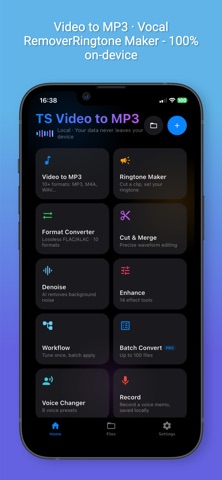
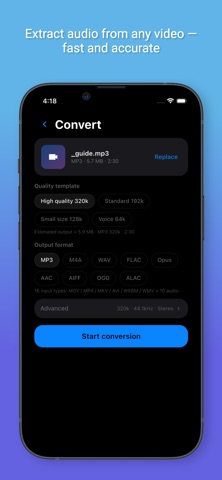
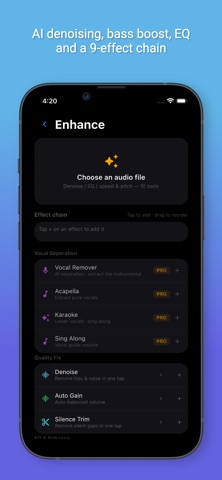
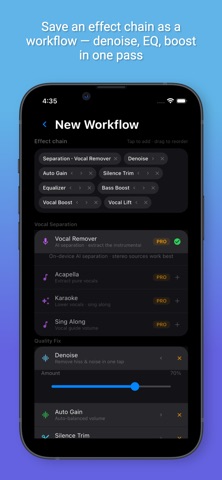
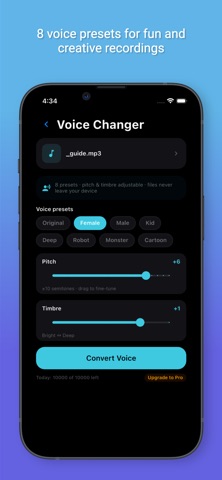
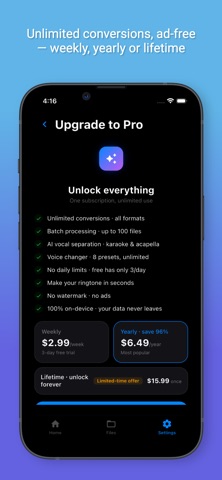
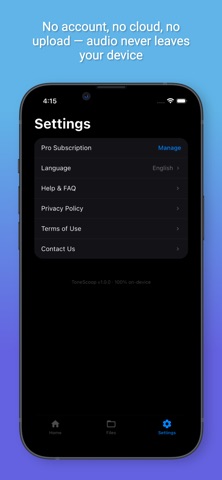
TS Video to MP3 — convert any video to MP3, extract audio, remove vocals, make ringtones. Fast, accurate, 100% offline. Your audio never leaves your phone. THE FASTEST VIDEO TO MP3 CONVERTER Turn any video — YouTube, TikTok, Instagram, movies, lectures, recordings — into high-quality MP3 in seconds. Extract music tracks, podcasts or voice memos with one tap. Output up to 320kbps, supports MP3, M4A, WAV, OGG, FLAC and more. VOCAL REMOVER Separate vocals from instrumental in one tap. Perfect for karaoke, acapella covers, remixes and DJ practice. AI-powered separation runs entirely on your device. RINGTONES Create custom iPhone ringtones (M4R) from any song or video — cut the perfect part, set as ringtone instantly. WORKFLOWS Tune once, apply everywhere. Chain effects — denoise, EQ, bass boost, vocal boost — save the chain as a reusable workflow, then batch-apply it to any file with one tap. Perfect for podcasts, voiceovers and music libraries. AUDIO TOOLKIT • Audio Cutter: trim, crop & merge audio files • Noise Reducer: AI denoising cleans up recordings • Audio Enhancer: boost clarity and loudness • 10-Band Equalizer: fine-tune any track • Format Converter: MP3, M4A, WAV, OGG, FLAC • Batch Processing: convert multiple files at once • Workflows: save effect chains and reuse them anytime PRIVACY BY DESIGN No upload. No cloud. No account needed. All processing happens locally on your device — works even in airplane mode. Terms of Use: https://tonescoop.app/terms Privacy Policy: https://tonescoop.app/privacy
Latest release
What’s New
• Fixed: after tapping “Process another” on the EQ, denoise or voice-changer success screen, the preview no longer keeps playing in the background • Fixed: on the audio enhance preview bar, the time labels and progress track were hard to read in Light mode • Fixed: the file detail page could show a raw time placeholder instead of the actual time
Audience growth
Ratings growth
Baseline captured. Growth appears after the crawler observes a changed rating count.
Momentum comes from crawler snapshots for the tracked storefront. “Viral growth signal” means unusually fast recent rating gains; it is an indicator, not download data.
Price tracking
Price intelligence
First snapshot captured. The trend line starts after the next crawler price observation.
- First observed Sep 8, 2026 · 3:42 PM Free
Screenshots