About this app
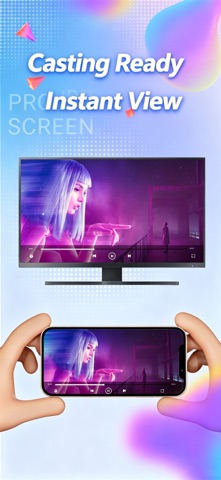
TV Cast Assistant is an efficient casting tool exclusively designed for iOS devices. Adopting DLNA/UPnP protocols, it lets you wirelessly stream videos, music, photos and more from your phone to large-screen devices such as smart TVs and projectors without extra hardware. Ditch cumbersome data cables and immerse yourself in stunning big-screen viewing! Diverse Casting Modes for All Your Needs Video Casting: Supports local and online videos with full format compatibility. Music Casting: Stream phone audio to TV speakers for premium sound quality. Photo Casting: Display photos and albums on the big screen to share precious moments. Stream Casting: Cast live streams and online video content seamlessly. Webpage Casting: Project web pages onto TV for teaching, presentations and meetings. Shared File Casting: Access and cast files from LAN SMB shares, including NAS and PC content. Screen Mirroring: Mirror your phone screen in real time for true WYSIWYG operation. Channel Casting: Access popular TV channels and start casting with one tap. Broad Compatibility & Wide Device Support Works with major smart TV brands: Samsung, LG, Sony, TCL, Hisense, Xiaomi and more. Compatible with mainstream TV boxes: Apple TV, Xiaomi TV Box, Tmall Magic Box, Huawei TV Box, etc. Supports smart projectors, game consoles and all devices with DLNA/UPnP functionality. No additional app installation required. Plug and play for effortless use. Intuitive Interface & Easy Operation Auto-detect all available casting devices on the local network with one click. Intelligently identify device types and optimize casting performance. User-friendly file browsing and selection. Full playback controls: play, pause, fast forward and volume adjustment during casting. Usage Tips Make sure your phone and casting device are connected to the same Wi-Fi network. DLNA/UPnP service may need to be enabled on certain devices. Video quality depends on network stability. A reliable Wi-Fi connection is recommended. Subscription Terms Billing cycles: Weekly or Annual subscriptions as selected. Free trial available. Subscription will auto-renew to paid service if not cancelled. Manage or cancel subscriptions anytime in your Apple ID settings. Auto-renewal occurs within 24 hours prior to the end of the current billing cycle. Unused free trial period will be forfeited upon subscription purchase. Membership Agreement: https://tvcast.pages.dev/vip_service_agreement Privacy Policy: https://tvcast.pages.dev/privacy_policy Download TV Cast Assistant now. Turn your phone into a remote control and enjoy brand-new big-screen entertainment!
Latest release
What’s New
Optimize layout to enhance user experience
Audience growth
Ratings growth
Baseline captured. Growth appears after the crawler observes a changed rating count.
Momentum comes from crawler snapshots for the tracked storefront. “Viral growth signal” means unusually fast recent rating gains; it is an indicator, not download data.
Price tracking
Price intelligence
First snapshot captured. The trend line starts after the next crawler price observation.
- First observed Aug 24, 2026 · 11:48 AM Free
Screenshots