About this app
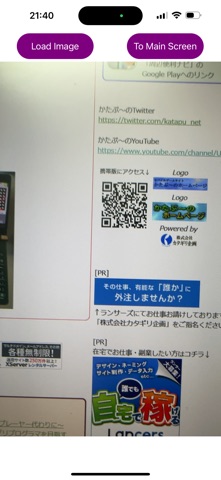
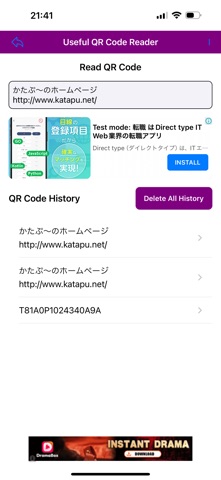
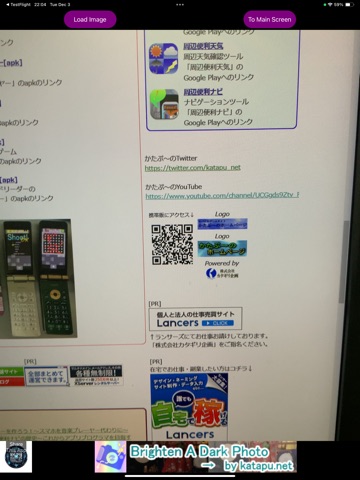
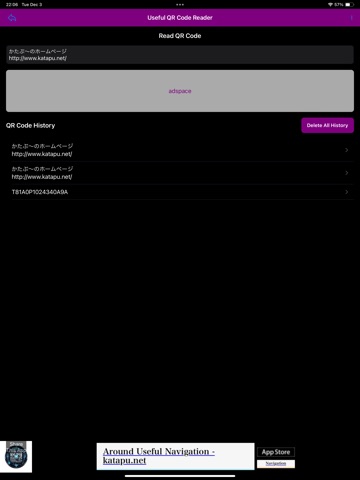
A convenient QR Code Reader app has been released! This app is an easy, simple, and fast QR code reading application. Additionally, it is a handy QR code reader app that records your scan history. After launching the app, grant camera access, hold your device over a QR code, and scan it. The scanned QR code will be displayed at the top of the main screen. Tap it to open the browser and view the URL, or long-press to copy it to the clipboard and use the text as needed. After launching, tap the "Load Image" button and grant access to your photo library. Then, load an image containing a QR code, such as a screenshot, and the app will scan the QR code within the image. (In some cases, it may fail to read due to errors.) It's free, so feel free to use it! A paid version without ads (PRO version) is also available! [How to Use] - Point the camera at a QR code on the initial screen to scan it. - The top right button on the screen transitions to the main screen but skips QR code scanning. - The top left button on the screen scans a QR code from an image in the photo library. - The scanned content is displayed at the top of the main screen. - Tap to open the browser. - Long-press to copy to the clipboard. - QR code scan history is displayed at the bottom of the screen. - Delete all history with "Delete All History." - You can delete history individually. - Tapping on history entries also opens the browser. - Long-pressing history entries copies them to the clipboard. - Tap the "I" in the top right to view information about the app. - Use the back arrow in the top left to return to the initial QR code scanning screen. That's how to use the app. It is a simple, convenient, and fast QR code reading app! Download and try it today!
Latest release
What’s New
- Improved the interface and made minor adjustments.
Audience growth
Ratings growth
Baseline captured. Growth appears after the crawler observes a changed rating count.
Momentum comes from crawler snapshots for the tracked storefront. “Viral growth signal” means unusually fast recent rating gains; it is an indicator, not download data.
Price tracking
Price intelligence
First snapshot captured. The trend line starts after the next crawler price observation.
- First observed Sep 22, 2026 · 8:53 PM Free
Screenshots