About this app
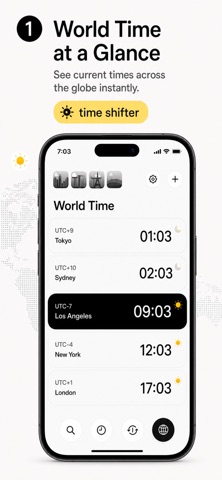
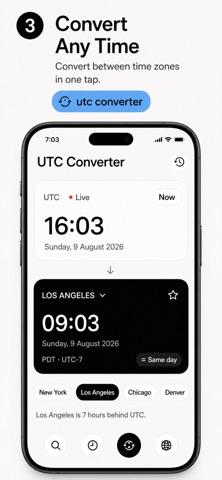
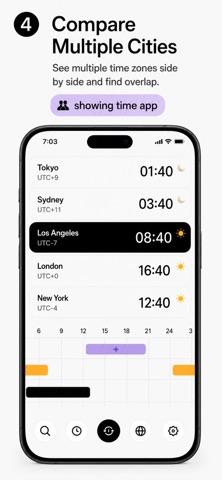
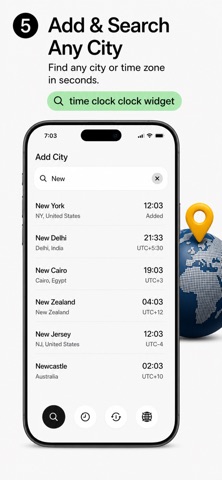
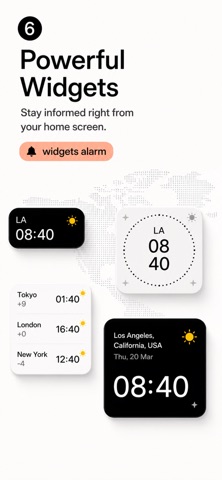
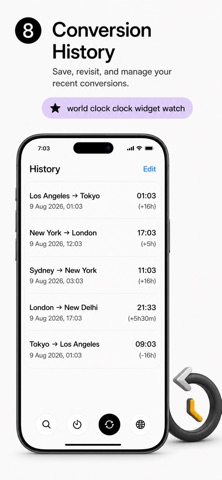
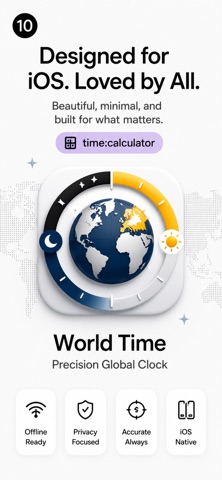
World Time — Precision Global Clock for iPhone Keep every timezone at your fingertips with World Time, a minimal yet powerful world clock app designed for people who care about global coordination. Beautiful, fast, and deceptively simple — World Time transforms how you manage international time zones. See the World's Time at a Glance Add and organize your key cities in seconds. Whether you're managing business across continents, keeping up with friends and family abroad, or planning across time zones, World Time gives you a clean, instant view of every location that matters. The editorial design strips away clutter to show only what you need: current time, time offset, and sunrise/sunset for each city. Live on Your Lock Screen & Dynamic Island Premium subscribers unlock Live Activity, putting any city's clock directly on your iPhone's Lock Screen and Dynamic Island. Watch times update in real-time when the app is open, creating an always-visible world clock for your selected city. No searching, no switching — your reference city travels with you. Compare Times Instantly Struggling to find a meeting time that works worldwide? The UTC Converter shows multiple cities side-by-side, letting you see overlapping hours at a glance. Free users can compare 3 cities; Premium removes limits. Instantly spot convenient times for international calls, video conferences, or scheduling across any number of zones. Day difference calculations eliminate confusion about whether it's already tomorrow somewhere. Rich Time Zone Database Access every IANA time zone worldwide with full DST support and half/quarter-hour offset zones. Search for cities by name, country, or time zone identifier. Carefully curated city names and country information make finding the right zone effortless. From major metros to regional centers, if it has a time zone, World Time has it. Powerful Widget Family Place World Time on your home screen and lock screen with comprehensive widget support. Free users get the compact small widget. Premium includes the medium widget for quick multi-city glances, large widget for detailed views, and multi-city widget to see all your cities at once without opening the app. Widgets sync instantly with your saved cities using App Groups for seamless app-to-widget communication. Save & Organize Your Conversions Premium members enjoy conversion history that remembers every time zone calculation you've made, letting you restore past conversions with one tap. Pin your most-used cities to favorites for instant access. Build your personal time zone library without starting from scratch each session. Designed for Precision & Clarity World Time combines typography, careful spacing, and a refined monochrome palette to create an editorial aesthetic. Tap any city to dive into a detailed clock view showing precise time, offset from UTC, and sunrise/sunset data. Switch between 12 and 24-hour formats instantly. Every interface element is optimized for readability and quick scanning, whether you're checking times or diving into details. Deep iOS Integration Create custom Siri Shortcuts for common time zone queries — ask Siri to show New York's time without opening the app. Use deep links to jump directly to specific cities or sections. World Time respects your device's settings for time format and appearance, delivering a native experience throughout. Smooth, Reliable Performance Built with SwiftUI and SwiftData for a responsive, modern interface. World Time works offline — no internet required to check your saved cities. The app updates in real-time using an optimized internal clock, so accuracy is always instant. Fast launch times and instant city search mean you'll have the time zone answer you need in seconds. Download World Time today and never wonder what time it is anywhere in the world again. Precision timekeeping meets editorial elegance. Terms of Use (EULA): https://www.apple.com/legal/internet-services/itunes/dev/stdeula/
Audience growth
Ratings growth
Baseline captured. Growth appears after the crawler observes a changed rating count.
Momentum comes from crawler snapshots for the tracked storefront. “Viral growth signal” means unusually fast recent rating gains; it is an indicator, not download data.
Price tracking
Price intelligence
First snapshot captured. The trend line starts after the next crawler price observation.
- First observed Aug 26, 2026 · 6:30 PM Free
Screenshots