About this app
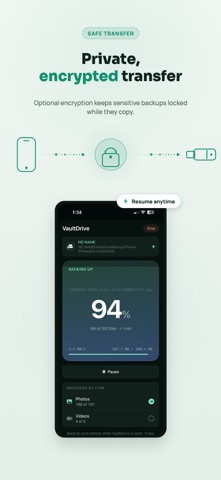
VaultDrive helps you back up your important photos, videos, albums, files, and documents directly to an external USB drive. No cloud upload required. No monthly cloud storage needed. Just connect a compatible USB drive, choose what you want to save, and create a private offline backup you control. VaultDrive can back up items already available on your iPhone without internet. If some photos or videos are stored only in iCloud, you can choose to download the originals before backup. Wi‑Fi is recommended for large iCloud downloads. Why use VaultDrive? • Back up photos, videos, albums, files, and documents to an external drive • Save selected albums, files, and documents • Back up directly to USB without cloud upload • Optionally download iCloud-only originals before backup • Review your selection before copying • Track backup progress in real time • See copied, skipped, and completed files • Resume safely if a backup is interrupted • Keep an extra copy of important memories VaultDrive is useful when you want to free up phone storage, protect family photos, save travel videos, keep documents offline, or create a personal backup without uploading everything to cloud storage. How it works: 1. Connect a compatible external USB drive 2. Choose photos, videos, albums, files, or documents 3. Review your selection 4. Start backup 5. Keep your files stored on your drive Important: VaultDrive backs up user-selected, accessible photos, videos, files, and documents. It does not create a full iPhone system backup. For large backups, keep the app open for the fastest and most reliable transfer.
Latest release
What’s New
This update improves iCloud-aware backups, backup reliability, and library insights. You can now choose to download iCloud-only originals before backup, with a Wi‑Fi-only option and clearer guidance about how iCloud Photos affects backup time. Backup progress now shows better iCloud download status, handles stalled downloads more reliably, and explains skipped cloud-only items more clearly. Statistics & History now opens faster with cached results, supports explicit rescans, and shows more detailed source/folder-level stats where available. Backup reliability has also been improved with better resume behavior, clearer grouped skip/failure reasons, improved USB drive path display, stronger completion tracking, and better drive reconciliation. Settings and help screens have been simplified, updated FAQ/Terms/How To Use content, and new iCloud education screens.
Audience growth
Ratings growth
Baseline captured. Growth appears after the crawler observes a changed rating count.
Momentum comes from crawler snapshots for the tracked storefront. “Viral growth signal” means unusually fast recent rating gains; it is an indicator, not download data.
Price tracking
Price intelligence
First snapshot captured. The trend line starts after the next crawler price observation.
- First observed Aug 18, 2026 · 4:22 PM Free
Screenshots