About this app
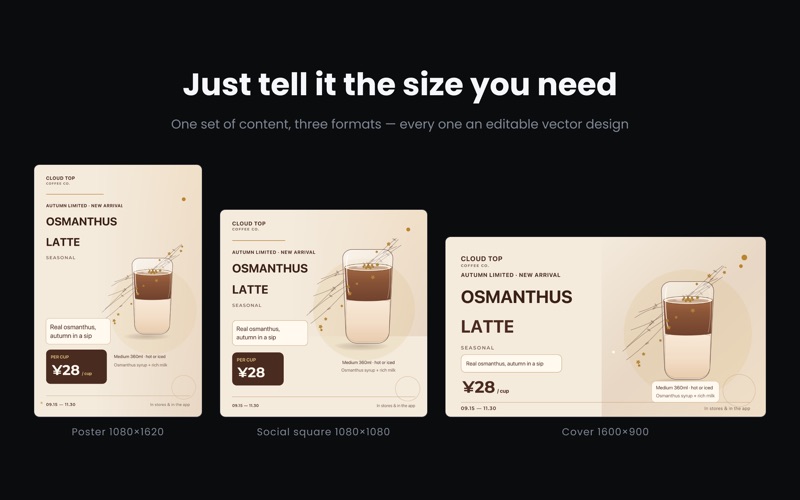
AI makes images fast. Editing them is the painful part. You want to change the text, but the layers are flattened. You need another size, but the layout falls apart. You only want to tweak one detail — and end up regenerating the whole thing. VectorShop works differently: an AI that understands design gives you a finished piece — not a draft, not a flat image, but a real vector design you can keep editing. Every word changeable, every color swappable, every element yours to move, crisp at any size. Design by chatting — and keep editing afterward • Describe it in a sentence: posters, flyers, business cards, menus, coupons, social graphics, landing pages, résumés, icons, and more • Need a specific size or format? Just say so • Not sure what you want? The AI asks and offers options instead of guessing for you • What you get is structured: auto layout, color styles, and text styles are already defined • So editing is easy — swap a title without breaking the layout, change one accent color and watch it apply everywhere Not random layouts — an AI that understands design • Built-in, category-tuned design know-how for structure, hierarchy, type, and color • It thinks through content, focal point, palette, and background instead of just piling elements on • Need atmosphere? Blend in an AI-generated background while the layout stays fully editable Change one thing, and everything follows • Reusable components and symbols: edit one master, every instance updates • Color, text, and effect styles managed as one system — change once, applied everywhere • Auto layout (vertical, horizontal, stacked) holds together when you swap titles, edit copy, or resize the canvas A serious vector editor, not a toy • Fills: solid, gradient, mesh gradient, pattern tiling, image fill (with 9-slice), and vector decorative borders • Effects: shadow, blur, noise, and Liquid Glass • Elements: text, geometric shapes, icons, emoji, and scannable QR codes • Curves: Bézier, smooth, and rounded, plus boolean operations • X / C / V mirror their own shapes: tap to merge, smooth, or sharpen anchors; hold to snap to grid, curve, or vertex Bring it in, ship it out • Import PSD, SVG, Sketch, PNG, and JPEG as material to keep editing • Export SVG, PNG, and JPEG with multi-size and icon presets, and proper color management • Any export size: type a width, a height, or a multiplier — it re-renders from vectors instead of upscaling a bitmap • Copy as SVG or PNG Who it's for • Indie developers: app icons, store assets, UI graphics, promo images • Designers: fast AI directions without giving up professional control • Content and marketing: titles, campaign details, multi-platform sizes — change anything, anytime • Small teams: no dedicated designer, yet a steady stream of assets Terms of Use: https://www.apple.com/legal/internet-services/itunes/dev/stdeula/
Latest release
What’s New
2.0 is a ground-up rebuild AI that delivers finished designs • Describe it in a sentence and get a structured design back — layout, components, and styles are already defined, so it's ready to edit • Not a draft, not a flat image: a vector design you can keep changing from the very first second Auto layout • Vertical, horizontal, and stacked layouts hold together when you swap titles, edit copy, or resize the canvas • Containers grow and shrink with their content, so there's nothing left to align by hand Components • Reusable components and symbols: edit one master, every instance updates • Instances can override their own text and properties while still following the master's structure Styles • Color, text, and effect styles managed as one system — change once, applied everywhere A new SF Symbol editor • A dedicated window built for SF Symbols • Draw once and all 27 variants — nine weights x three scales — are generated for you, ready to export as a symbol template for Xcode Faster and steadier • Big gains in rendering and editing performance; large documents and deep layer trees stay responsive • Many stability fixes
Audience growth
Ratings growth
Baseline captured. Growth appears after the crawler observes a changed rating count.
Momentum comes from crawler snapshots for the tracked storefront. “Viral growth signal” means unusually fast recent rating gains; it is an indicator, not download data.
Price tracking
Price intelligence
First snapshot captured. The trend line starts after the next crawler price observation.
- First observed Aug 8, 2026 · 1:13 PM Free
Screenshots