About this app
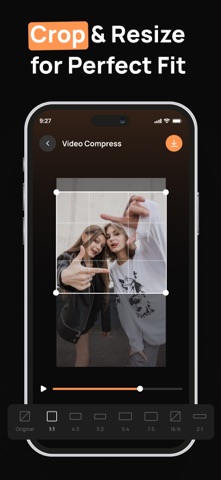
Video compressor, compress video, reduce video size, video trimmer, video cutter, video cropper, video resizer, and storage saver tools help you shrink large video files, cut unwanted parts, crop footage, and prepare videos for Instagram, TikTok, YouTube, and other platforms. Video Compressor – Reduce Size is a simple and practical video editing app designed to help you compress videos, trim clips, crop footage, resize videos, and reduce file size without complicated editing tools. Whether your videos take up too much phone storage, are difficult to share, or need the right size for social media, this app gives you quick tools to manage and edit your videos with ease. Key Features: • Video Compressor – Reduce video file size while keeping your video clear and easy to share. • Video Cropper – Crop videos to focus on the most important part of your footage. • Video Trimmer & Cutter – Cut unwanted sections, shorten clips, or create quick highlights. • Resize & Convert – Adjust video resolution and format for different needs. • Social Media Ready – Prepare videos for Instagram, TikTok, YouTube, and more. • Storage Saver – Free up phone storage by compressing large video files. Whether you want to save storage, share videos faster, or customize clips for social media, Video Compressor – Reduce Size makes video editing simple and accessible. No complex tools are needed. Just select your video, compress, trim, crop, resize, or convert, then save it for your next use. Download Video Compressor – Reduce Size today and start compressing, cutting, cropping, and resizing your videos with ease. Privacy Policy: https://sites.google.com/view/video-manager-app/privacy-policy Terms & Conditions: https://sites.google.com/view/video-manager-app/terms-conditions
Latest release
What’s New
Minor Bug Fixed & Performance Improvement
Audience growth
Ratings growth
Baseline captured. Growth appears after the crawler observes a changed rating count.
Momentum comes from crawler snapshots for the tracked storefront. “Viral growth signal” means unusually fast recent rating gains; it is an indicator, not download data.
Price tracking
Price intelligence
First snapshot captured. The trend line starts after the next crawler price observation.
- First observed Aug 11, 2026 · 8:12 AM Free
Screenshots