About this app
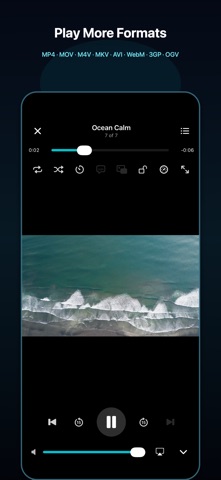
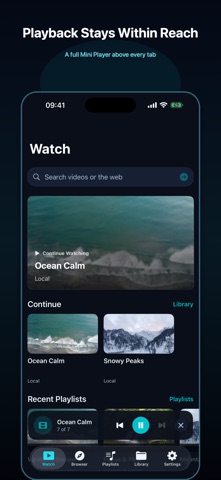
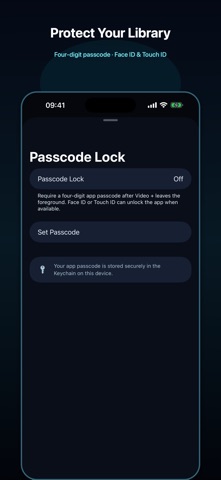
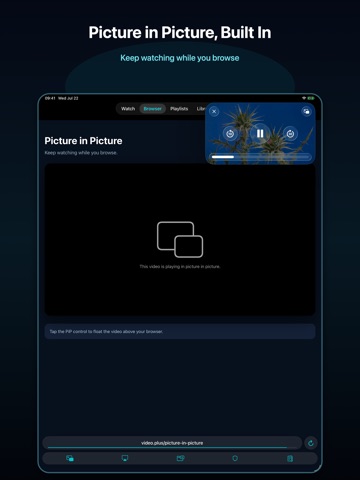
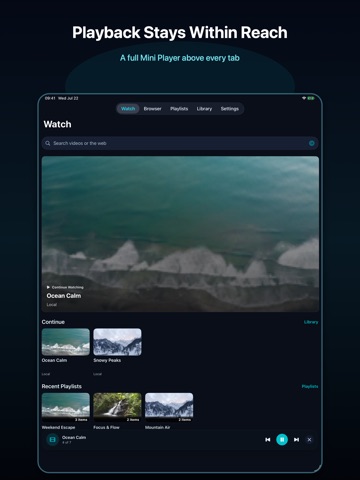
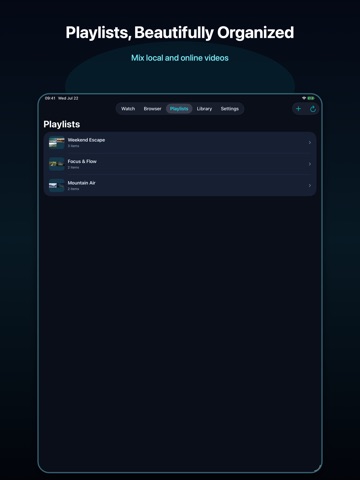
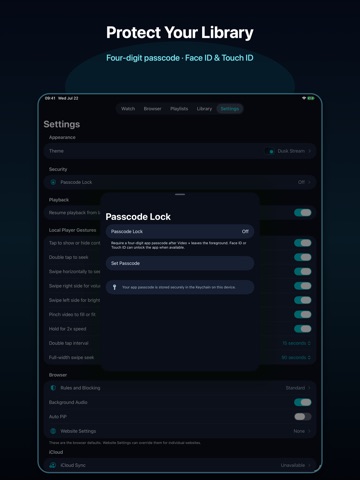
Your media, wherever you keep it. Video + is a modern video and audio player for media you own or are authorized to access. Version 5.0 brings a completely refreshed experience while continuing the app’s focus on flexible playback, personal media libraries, cloud storage, and offline viewing. WIDE FORMAT SUPPORT Open a broad range of video and audio file types: • Video: MP4, MOV, M4V, MKV, AVI, WebM, 3GP, and OGV • Audio: MP3, M4A, AAC, WAV, FLAC, OGG, and Opus • External subtitles: SRT and WebVTT Depending on the container and device capabilities, compatible video codecs include H.264, HEVC/H.265, AV1, VP9, VP8, MPEG-4, MPEG-2, and VC-1. Video + combines native Apple playback technology with an extended media engine for compatible formats, including advanced MKV playback. Actual compatibility depends on the codecs, profiles, subtitles, and audio tracks contained in each file. PLAY YOUR MEDIA YOUR WAY • Play video and audio in a wide range of popular formats • Adjust playback speed and video display mode • Use shuffle, repeat, queue controls, and a sleep timer • Continue listening with background audio for supported media • Watch with Picture in Picture • Send supported media to compatible displays with AirPlay • Load embedded or external subtitles and adjust subtitle timing IMPORT FROM YOUR FAVORITE SOURCES Bring your personal media into Video + from: • Files and iCloud Drive • Photos • Other apps using Share or Open In • A computer on the same Wi-Fi network • Finder or iTunes File Sharing CONNECTED STORAGE Connect to storage you control or have permission to access: • Google Drive • Microsoft OneDrive • Dropbox • Box • pCloud • Yandex.Disk • FTP, SMB, NFS, SFTP, WebDAV, HTTP, and HTTPS servers • Compatible UPnP and DLNA media servers Play supported media directly from connected storage, or save your own files to the device for offline playback. ORGANIZE AND CONTINUE • Build playlists with local and connected media • Keep a unified playback queue • View technical media details • Track recently played items • Continue from your previous playback position • Manage offline copies and transfer history • Search and browse your personal library WEB LINKS AND BOOKMARKS The built-in browser lets you open webpages, organize bookmarks and history, and save video page links for later. Where supported by the webpage, Video + can remember playback information and help you return to where you left off. The Online Library stores page links and playback metadata only. It does not save copies of media from websites. PRIVATE ACCESS Enable Passcode Lock to require a four-digit passcode whenever Video + returns from the background. Unlock quickly with Face ID or Touch ID when available. Your app passcode is stored securely in the iOS Keychain. OPTIONAL ICLOUD SYNC Keep playlists, saved links, playback positions, bookmarks, and browser organization available across your devices with iCloud sync. Imported media files, offline copies, cloud account sessions, and website sessions remain local to the device. File server password sync is optional and uses iCloud Keychain. Video + does not host or provide media. Please use the app only with content you own or are authorized to access. Playback availability depends on the media format, network connection, connected service, and source availability. Terms of Use (EULA): https://www.apple.com/legal/internet-services/itunes/dev/stdeula/
Latest release
What’s New
This update further improves your playback experience: • Fixed an issue that prevented some videos from playing • Improved shuffle behavior in playlists • Enhanced the stability of background audio and video playback • Improved the Playlists page
Audience growth
Ratings growth
Baseline captured. Growth appears after the crawler observes a changed rating count.
Momentum comes from crawler snapshots for the tracked storefront. “Viral growth signal” means unusually fast recent rating gains; it is an indicator, not download data.
Price tracking
Price intelligence
- First observed Aug 19, 2026 · 10:50 AM Free
Screenshots