About this app
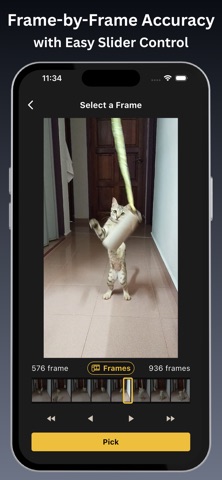
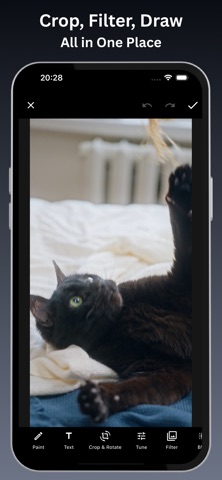
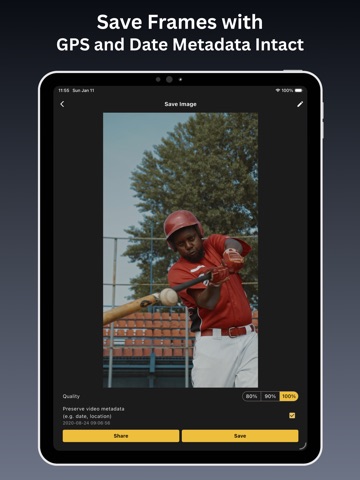
Extract frame‑perfect photos from any video. Freeze the exact moment and save it as a high‑quality image - no screenshots, no guesswork. Frame Extractor gives you precise control: scrub frame‑by‑frame for pixel accuracy or jump in 0.1‑second steps for fast navigation. Every image is exported in original quality with metadata intact - no compression, no watermark. Key Features - Open videos from your library or other supported sources - Frame Mode for pixel‑perfect frame selection; Time Mode for 0.1‑second steps - Save images in original quality - no compression, no compromise - Preserve metadata: exported photos keep the original shooting date and location - Bulk Export - select multiple frames and export them all at once - Built‑in editor: crop, apply filters, adjust exposure, and draw - No watermark on saved photos How it works 1. Open a video from your library or supported source. 2. Use Frame Mode for exact frames or Time Mode for quick scrubbing. 3. Tap to select frames; use Bulk Export to export all selections in one action. 4. Edit if needed and save - images retain original quality and metadata. Who it’s for Perfect for content creators, videographers, photographers, social media managers, and journalists who need reliable, high‑quality video‑to‑photo conversion and precise frame extraction. Download Frame Extractor and stop screenshotting - start extracting perfect frames. Privacy Policy: https://resource.optionalapp.com/app/fe/docs/tos.html Terms of Use: https://resource.optionalapp.com/app/fe/docs/privacypolicy.html
Latest release
What’s New
Fixed minor issues to improve stability
Audience growth
Ratings growth
Baseline captured. Growth appears after the crawler observes a changed rating count.
Momentum comes from crawler snapshots for the tracked storefront. “Viral growth signal” means unusually fast recent rating gains; it is an indicator, not download data.
Price tracking
Price intelligence
First snapshot captured. The trend line starts after the next crawler price observation.
- First observed Sep 3, 2026 · 12:14 PM Free
Screenshots