About this app
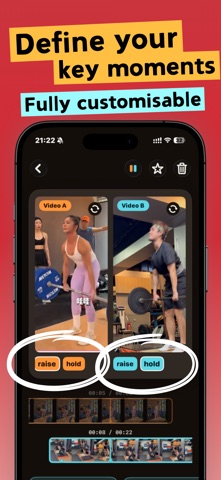
Put two clips side by side on one screen so you can study every move, frame by frame. What you can compare: • My move VS the coach's • Last time VS this time • Beta 1 VS Beta 2 • Day 1 VS now • Version A VS version B • Before VS after • Light weight VS heavy Record yourself, grab a reference, and compare the two on one screen — no more jumping back and forth between videos in your camera roll trying to catch the right frame. How video VS helps: • Both moves on one screen. Your clip and the reference, side by side or stacked. • Scrub frame by frame. A CapCut-style filmstrip under each clip with a fixed playhead — drag through time, pinch to zoom from the full clip down to a single second for the exact frame. • Zoom into the detail. Get in close on a foothold, a grip, a hand or hip position — tap to go full screen. • Line up the same move. Drop key moments on each clip (up to 10) and tap a number to jump both videos to the matching action instantly. • Pick up where you left off. Every comparison saves automatically; favorite the ones you study most. Climbing, bouldering, swimming, running, tennis, weightlifting, skating, golf — anywhere the same move shows up twice. compare your move, then improve
Latest release
What’s New
Lots of climbers have been using video VS lately, so: 1. Smoother video playback 2. Fixed some annoying bugs Hope the training's going well ;)
Audience growth
Ratings growth
Baseline captured. Growth appears after the crawler observes a changed rating count.
Momentum comes from crawler snapshots for the tracked storefront. “Viral growth signal” means unusually fast recent rating gains; it is an indicator, not download data.
Price tracking
Price intelligence
First snapshot captured. The trend line starts after the next crawler price observation.
- First observed Aug 21, 2026 · 2:58 PM Free
Screenshots