About this app
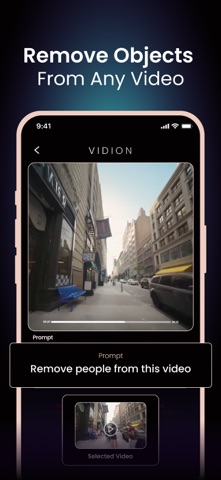
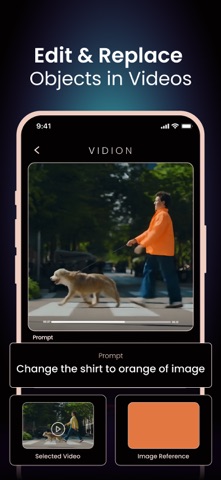
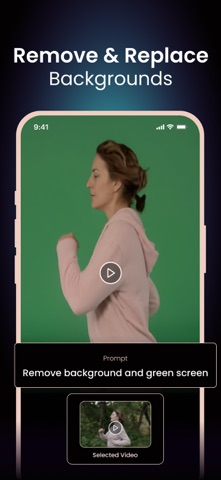
Transform your videos with AI. Vidion makes editing as simple as typing a text prompt. Change backgrounds, restyle in anime or cinematic looks, remove text or watermarks, resize, and more. No complex tools, no learning curve – just instant edits with Runway Aleph. Whether for social media, creative projects, or professional use, Vidion gives you the power to create in seconds. Key Features - AI Edit Video – Edit videos using smart AI prompts. - Background Changer – Remove, replace, or green screen video backgrounds. - Restyle with AI – Transform your videos into anime style, cinematic effects, or unique looks. - Remove Objects & Text – Clean up your videos by erasing unwanted parts. - Resize & Format – Change video ratio, resolution, and format for any platform. - Video Speed Control – Adjust speed for slow motion or fast cuts. - Video Watermark Remover – Instantly remove watermarks with AI precision. - Video Inpainting – Recreate missing or damaged parts of your footage. How to Use 1- Upload your video or image. 2- Enter a text prompt or choose from editing options. 3- Generate and share your video instantly. Why Vidion? Vidion combines cutting-edge AI editing with Runway Aleph technology, giving you professional-level ai video editing tools without complexity. Create Reels, Stories, or polished edits in seconds. Support: help.vidion@gmail.com About Subscriptions and Terms of Use: - For Unlimited Features of Vidion AI Video Generator, some Premium subscriptions are needed. - Payment will be made from your iTunes account after you confirm the purchase. - Subscriptions will auto-renew at the end of each term if it is not canceled 24 hours before the end of the purchasing term. - The user can manage subscriptions. Auto-renew can be turned off from iTunes account settings. - You can cancel your subscriptions by entering: http://support.apple.com/en-us/HT202039 - Privacy Policy: https://sites.google.com/view/vidionai/privacy-policy - Terms of Use: https://sites.google.com/view/vidionai/terms-of-use
Latest release
What’s New
-> Minor bug fixes and performance improvements.
Audience growth
Ratings growth
Baseline captured. Growth appears after the crawler observes a changed rating count.
Momentum comes from crawler snapshots for the tracked storefront. “Viral growth signal” means unusually fast recent rating gains; it is an indicator, not download data.
Price tracking
Price intelligence
First snapshot captured. The trend line starts after the next crawler price observation.
- First observed Aug 5, 2026 · 1:20 PM Free
Screenshots