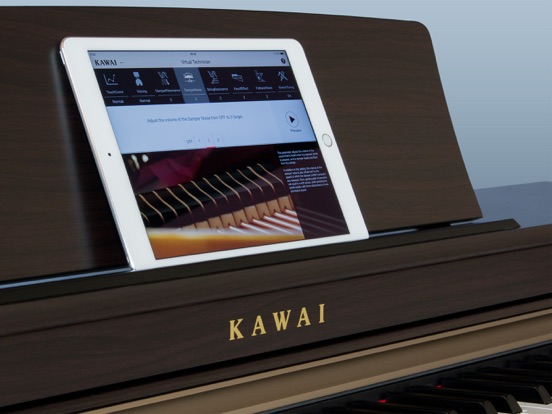
About this app
Adjust various sound, touch, and tuning characteristics of your Kawai digital piano, as if you were a professional concert tuner. The knowledge and skill of an experienced piano technician is essential to realise the full potential of a fine acoustic piano. In addition to meticulously tuning each note, the technician also performs numerous regulation and voicing adjustments that allow the instrument to truly sing. The Virtual Technician feature of Kawai digital pianos simulates these refinements digitally, allowing musicians to shape various aspects of the piano’s character to suit their personal preferences. Perform touch weight and voicing adjustments, regulate subtle hammer and key release noises, and fine-tune string, lid, and damper resonances – all in real-time, from the comfort of an intuitive iPad app. ・Attractive interface created by Kawai’s award-winning design group, following the same traditional philosophies expressed in our acoustic and digital pianos. ・Learn to adjust various acoustic piano characteristics through the app’s elegant graphical interface and detailed explanations. ・Use the app’s Preview function to hear a sample passage that demonstrates the current setting with the instrument’s piano sound. Compatible models: Kawai CN39/CN29/CN37/CN27/CN17/CN35/CN25/KDP110, CS11/CS8, ES110/ES8, CA58/CA48/CA28/CA97/CA67/CA17/CA33, CP1/CP2/CP3 * The ‘Lightning to USB Camera Adapter’ or ‘Apple iPad Camera Connection Kit’ accessory is required in order to connect an iPad to the Kawai digital piano using a USB cable. It is also possible to connect the iPad wirelessly using the Quicco Sound ‘mi.1’ Bluetooth MIDI device. * A software update may be required in order to utilise the Virtual Technician app with CN37, CA97/CA67 v1.05+ and CP Series (CP1/CP2/CP3 v1.04+) instruments. Please visit the support pages at www.kawai-global.com (CN37, CA97/CA67) and www.kawaius.com (CP Series) for further information. Compatibility: Requires iOS8.0 or later. Compatible with iPad.
Latest release
What’s New
Minor fixes
Audience growth
Ratings growth
Baseline captured. Growth appears after the crawler observes a changed rating count.
Momentum comes from crawler snapshots for the tracked storefront. “Viral growth signal” means unusually fast recent rating gains; it is an indicator, not download data.
Price tracking
Price intelligence
- First observed Aug 11, 2026 · 3:47 PM Free
Screenshots