About this app
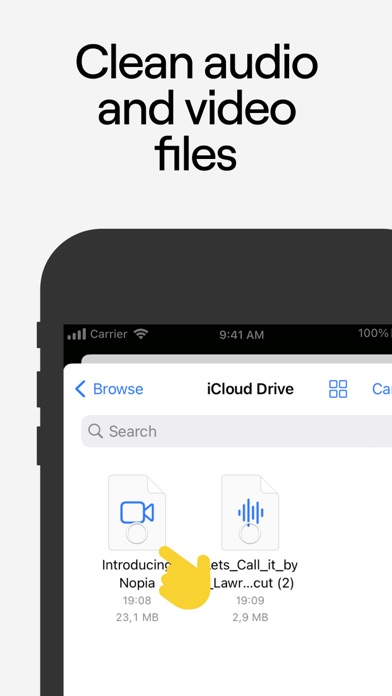
Crystal-clear voice in seconds. The #1 AI audio tool — a Webby People's Voice winner, trusted by millions of creators. Record anywhere and still sound studio-clean. LALAL.AI removes background noise, hum, hiss, wind and ambient music from any audio or video, while keeping your voice natural — never robotic or over-processed. Built for podcasters, video creators, journalists, streamers and anyone who records on the go. Salvage a noisy interview, clean up a voice memo, or polish a voiceover — right from your phone. WHAT YOU CAN DO • Remove background noise — clear out hum, hiss, static, wind, crowd and AC noise in seconds. • Strip background music — get a clean voice track and avoid copyright issues on streams. • Keep voice natural — AI separates voice from everything around it without that robotic sound. • Clean audio and video — works with MP3, WAV, FLAC, AAC and MP4, MKV, AVI files. • Preview before export — listen in the in-app player, then download only what you need. • Keep original quality — your clean track comes back in the same bitrate and format, no quality loss. ALSO A PRO VOCAL REMOVER • Remove vocals or instrumentals from any song for karaoke, covers and remixes. • Isolate instruments — drums, bass, piano, acoustic & electric guitar, synth, strings, wind. PERFECT FOR Podcasts · interviews · YouTube & TikTok videos · voiceovers · voice memos · transcription · music production HOW TO USE 1. Tap "Select Files" to upload your audio or video. 2. Choose Voice & Noise to clean it up (or pick a stem to remove). 3. Preview the result in the player. 4. Download the full track. PRICING Start for free — preview any result at no cost before you commit. Pay only for what you process with simple minute packs. DISCLAIMER We strongly recommend against uploading content that includes third-party intellectual property (such as copyrighted material) unless you have permission from that party to do so. Users are legally responsible for the content they upload. Questions? Contact support@lalal.ai. For tips and tutorials, follow us on YouTube @LALAL.AI.
Audience growth
Ratings growth
Baseline captured. Growth appears after the crawler observes a changed rating count.
Momentum comes from crawler snapshots for the tracked storefront. “Viral growth signal” means unusually fast recent rating gains; it is an indicator, not download data.
Price tracking
Price intelligence
First snapshot captured. The trend line starts after the next crawler price observation.
- First observed Sep 11, 2026 · 7:36 PM Free
Screenshots