About this app
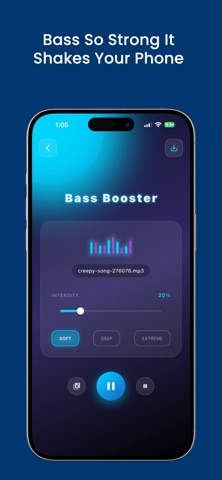
Volume Booster: Bass Boost & Equalizer Transform your listening experience with Volume Booster, the all-in-one audio enhancement app designed to help you enjoy richer sound, deeper bass, and personalized audio settings. Whether you're listening to music, watching videos, or using headphones, Volume Booster gives you powerful tools to customize your sound. Why Choose Volume Booster? Enjoy a cleaner, richer, and more immersive audio experience with an intuitive interface and powerful sound customization features. Key Features • Powerful Bass Boost for richer, deeper sound • Advanced Audio Equalizer with customizable presets • Easy-to-use sound controls • Music enhancement for your favorite songs • Presets for different listening styles • Modern, fast, and user-friendly interface • Optimized for headphones and speakers • Lightweight performance with smooth controls Perfect For • Music lovers • Podcast listeners • Movie streaming • Gaming • Bluetooth speakers • Wired and wireless headphones • Everyday audio customization Customize Your Sound Whether you prefer powerful bass, balanced vocals, or crystal-clear audio, Volume Booster helps you personalize your listening experience with simple and effective controls. Enjoy your favorite music with improved sound quality and discover new ways to make every listening session more enjoyable. Download Volume Booster: Bass Boost & Equalizer today and experience smarter audio customization for your iPhone.
Latest release
What’s New
We've made this version even better! • Performance improvements • Enhanced app stability • Minor bug fixes • UI refinements • Improved overall user experience Thank you for choosing Volume Booster!
Audience growth
Ratings growth
Baseline captured. Growth appears after the crawler observes a changed rating count.
Momentum comes from crawler snapshots for the tracked storefront. “Viral growth signal” means unusually fast recent rating gains; it is an indicator, not download data.
Price tracking
Price intelligence
First snapshot captured. The trend line starts after the next crawler price observation.
- First observed Aug 20, 2026 · 10:53 PM Free
Screenshots