About this app
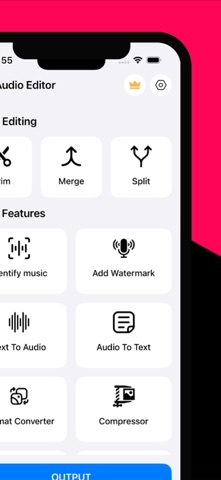
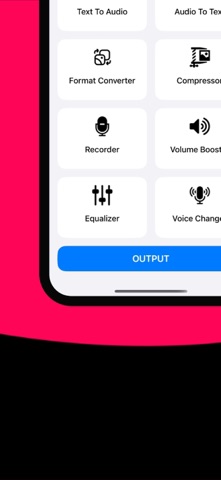
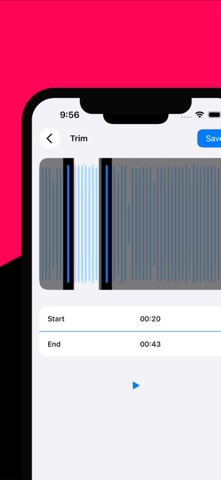
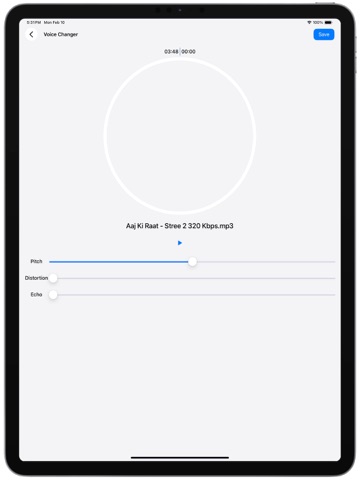
VP - Audio Editor is your ultimate solution for professional-grade audio editing right on your mobile device. Whether you're a musician, podcaster, content creator, or just someone who loves to work with sound, this app provides a powerful suite of tools to transform, enhance, and manage your audio files with ease. ===== Key Features ===== -> Trim Audio: Easily cut unwanted parts and create the perfect audio segment. -> Merge Audio: Combine multiple tracks into one seamless audio file. -> Split Audio: Divide your audio files at any point for better control. -> Music Identification: Instantly recognize songs using advanced ShazamKit integration. -> Add Watermark to Audio: Protect your content by embedding custom audio watermarks. -> Text to Audio: Convert written text into natural-sounding speech in multiple languages. -> Audio to Text: Transcribe speech into editable and shareable text with high accuracy. -> Format Converter: Convert audio between MP3, WAV, AAC, M4A, FLAC, and more. -> Audio Compressor: Reduce file size without compromising audio quality. -> Voice Recorder: Capture high-quality audio for notes, music, or podcasts. -> Volume Booster: Increase sound levels for better playback performance. -> Music Equalizer: Adjust bass, treble, and mid-tones with a customizable equalizer. -> Voice Changer: Transform your voice with fun and creative effects. VP - Audio Editor is designed with a clean, intuitive interface to make complex editing tasks simple. Whether you’re fine-tuning a music track or preparing content for social media or business, our smart editing tools save time and deliver professional results. ===== Why Choose VP - Audio Editor? ===== -> Easy-to-use with powerful features. -> Works offline for most functions. -> Supports a wide range of audio formats. -> Perfect for beginners and audio professionals alike. ===== Use Cases ===== -> Create ringtones or podcasts. -> Prepare background music for videos. -> Transcribe interviews or meetings. -> Change your voice for gaming or fun. -> Optimize sound quality for sharing online. Unlock the full potential of your audio content with VP - Audio Editor – the complete audio toolbox in your pocket. Download now and experience the difference! SUBSCRIPTION AND TERMS: You may purchase an auto-renewing subscription through an In-App Purchase to enjoy all App Features without Ads: • Auto-renewable subscription • Weekly, 1 month and 1-year durations • Your subscription will be charged to your iTunes account at confirmation of purchase and will automatically renew (at the duration selected) unless auto-renew is turned off at least 24 hours before the end of the current period. • Current subscription may not be canceled during the active subscription period; however, you can manage your subscription and/or turn off auto-renewal by visiting your iTunes Account Settings after purchase. Privacy Policy : https://sites.google.com/view/vp-audioeditor-privacypolicy Terms of use : https://sites.google.com/view/vp-audioeditor-termscondition EULA : https://sites.google.com/view/vp-audioeditor-eula
Latest release
What’s New
Improved app performance and stability
Audience growth
Ratings growth
Baseline captured. Growth appears after the crawler observes a changed rating count.
Momentum comes from crawler snapshots for the tracked storefront. “Viral growth signal” means unusually fast recent rating gains; it is an indicator, not download data.
Price tracking
Price intelligence
First snapshot captured. The trend line starts after the next crawler price observation.
- First observed Aug 23, 2026 · 1:05 PM Free
Screenshots