About this app
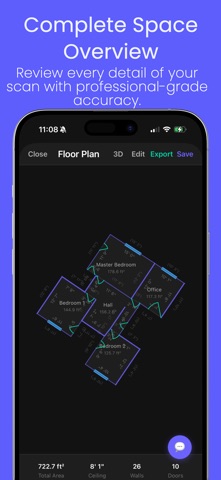
Turn your iPhone into a professional floor plan scanner. vPlan AR uses your iPhone's LiDAR sensor to capture accurate room dimensions and instantly generate detailed floor plans — no measuring tape, no drafting skills required. Scan in seconds. Export in minutes. Walk through a room and watch your floor plan build itself in real time. vPlan AR captures walls, doors, windows, and ceiling height with millimeter-level precision. Professional-grade exports - PDF floor plans with labeled dimensions - DXF files for AutoCAD and design software - OBJ files for 3D modeling and rendering Edit anywhere Refine your floor plans directly in the app or on the web at vplan.ai — adjust walls, add annotations, and share with clients or contractors. Built for professionals and homeowners alike - Real estate agents documenting listings - Interior designers planning renovations - Contractors bidding on jobs - Homeowners planning furniture layouts What you get - Instant LiDAR-powered room scanning - 2D and 3D floor plan views - Cloud sync across iPhone and web - Imperial and metric units - Team collaboration (Business plan) - Offline scanning — no internet required Requires iPhone 12 Pro or newer for LiDAR scanning. Terms of Use (EULA): https://www.apple.com/legal/internet-services/itunes/dev/stdeula/ Privacy Policy: https://vplan.ai/privacy
Latest release
What’s New
vPlan 1.1 turns your scans into professional, client-ready documents: • Damage & Condition Tagging — mark each room's condition, damage type, severity, and affected materials right on the plan. • Scope-of-Work / Damage Report — export a polished inspection PDF with your floor plan, a room-by-room schedule, photos, and a signature block. • Repair Cost Estimates — generate a material takeoff from your scan and apply your own editable price list, then export to PDF or CSV. • Square Footage (GLA) Report — ANSI Z765 gross living area with a clear garage / basement / unfinished breakdown, ideal for listings. • Project Details & Photos — add client, property, and claim info, and your room photos now print full-size in exports. • A monthly usage meter, plus sync and stability improvements.
Audience growth
Ratings growth
Baseline captured. Growth appears after the crawler observes a changed rating count.
Momentum comes from crawler snapshots for the tracked storefront. “Viral growth signal” means unusually fast recent rating gains; it is an indicator, not download data.
Price tracking
Price intelligence
First snapshot captured. The trend line starts after the next crawler price observation.
- First observed Aug 24, 2026 · 3:25 AM Free
Screenshots