About this app
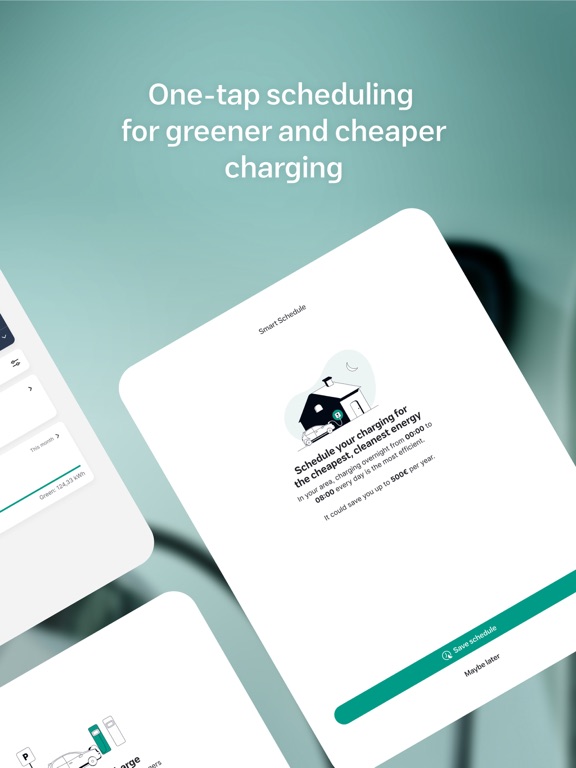
Unlock the power of your Wallbox charger with the myWallbox app! myWallbox is your hub for our smart charging and energy management solutions and is compatible with all Wallbox electrical vehicle chargers. Connect to Wallbox chargers at home, work or at charging points on-the-go. - Save money by setting charging schedules that take advantage of off-peak rates - Control and monitor your EV charging status from anywhere - Track your energy consumption and spending - Avoid unwanted use with remote lock and unlock - Enable advanced environmentally-friendly energy management features like solar EV charging and dynamic load balancing - Access payment options to charge at locations that offer Wallbox charging
Latest release
What’s New
What's new • EV Integration: Connect your electric vehicle directly to the app to unlock personalized, high-precision Smart charging. • Smart Charging Mode: Set your departure time and target battery level. We automatically calculate and schedule the optimal time to charge so your car is ready when you are. (Note: Smart charging is being rolled out progressively and may not be available for all vehicles yet.) Improvements • Live Schedule Visibility: See your active Smart charging plan right on your EV detail card. • Completed Session Alerts: Clear "Completed" status updates let you know when your vehicle has finished its scheduled charge. • Fresh Data Timestamps: See exactly when your EV's status and telemetry were last updated. Bug fixes • Fixed connection hiccups during charger reconnection. • Resolved an issue where the Smart charging settings screen became unresponsive when turned off. • Updated electricity tariff warnings to clear properly after updating rates in Smart charging settings. • Ensured EV personal data is thoroughly wiped upon logging out. • Fixed navigation links to the Safety Charge screen from the information panel. Want step-by-step setup guides for EV Linking and Smart charging mode? Check out our in-app guide section for visual walkthroughs!
Audience growth
Ratings growth
Baseline captured. Growth appears after the crawler observes a changed rating count.
Momentum comes from crawler snapshots for the tracked storefront. “Viral growth signal” means unusually fast recent rating gains; it is an indicator, not download data.
Price tracking
Price intelligence
First snapshot captured. The trend line starts after the next crawler price observation.
- First observed Aug 21, 2026 · 12:21 PM Free
Screenshots