About this app
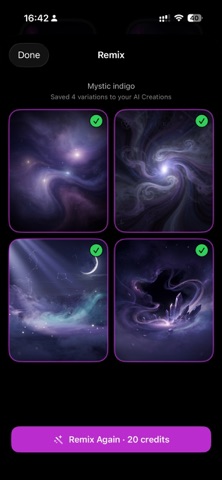
Discover hundreds of stunning watch faces with Watch Faces Magical. Browse curated collections, create custom faces from millions of images, and sync directly to your wrist in seconds. Personalize your Apple Watch with beautiful, hand-picked designs - from nature landscapes and minimal clocks to artistic and luxury styles. WHAT YOU GET: - 500+ curated watch face designs - Organized collections - Nature, Minimal, Luxury & more - Create custom faces from millions of free images - Instant sync to your Apple Watch - Save favorites for quick access - Step-by-step setup tutorials - New faces added regularly HOW IT WORKS: 1. Browse or search for the perfect watch face 2. Tap "Get Face" to share it to your Apple Watch 3. Open the Watch app and set your new face PREMIUM SUBSCRIPTION: Unlock unlimited access to the full collection and all future additions. Choose weekly, monthly, or yearly plans. Payment will be charged to your Apple ID account at confirmation of purchase. Subscription automatically renews unless canceled at least 24 hours before the end of the current period. You can manage and cancel your subscriptions in your Apple ID account settings. Privacy Policy: https://watchfacemagical.com/privacy-terms Terms of Use: https://watchfacemagical.com/privacy-terms
Latest release
What’s New
Fresh faces, faster than ever This update makes discovering your next watch face effortless: • Spin to discover — Give the new crown carousel a spin, or just shake your phone to surface a random face you'll love. • Smoother & faster — In-memory image caching means galleries load instantly, with no more waiting for previews. • Smarter AI generation — Improved engine for creating your own custom faces.
Audience growth
Ratings growth
Baseline captured. Growth appears after the crawler observes a changed rating count.
Momentum comes from crawler snapshots for the tracked storefront. “Viral growth signal” means unusually fast recent rating gains; it is an indicator, not download data.
Price tracking
Price intelligence
First snapshot captured. The trend line starts after the next crawler price observation.
- First observed Aug 20, 2026 · 5:47 PM Free
Screenshots