About this app
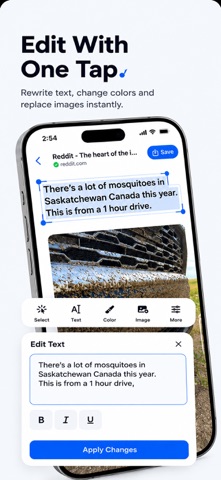
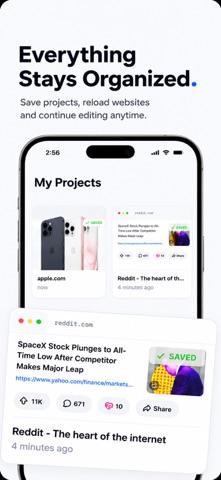
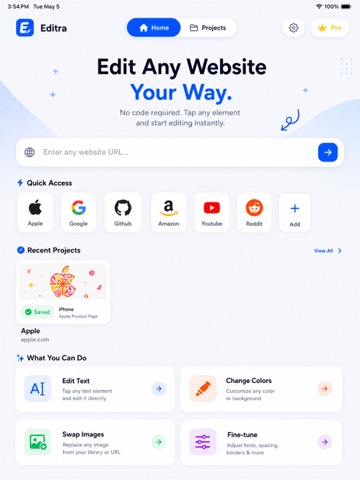
Editra lets you visually customize web pages in real time — no coding required. Preview and experiment with design changes directly on web content, making it easy to explore layouts, styles, and ideas instantly. KEY FEATURES • Edit Text Instantly Tap on elements and modify text directly on the page. • Customize Colors & Styles Adjust colors, fonts, and visual styles to match your vision. • Replace Images Swap images quickly to preview new designs and layouts. • Live Visual Editing See your changes immediately as you make them. • Save & Export Save your projects and export your designs for sharing or reference. • Simple & Intuitive Clean interface designed for speed and ease of use. USE CASES • Learn web design visually • Prototype website ideas • Experiment with layouts and styles • Create design previews quickly IMPORTANT NOTE Editra provides a local visual editing experience for preview and learning purposes. Changes made in the app do not modify actual websites or their content. Upgrade to Editra Pro to unlock: • Unlimited projects • Export options • Advanced customization tools • Ad-free experience Start creating and customizing today with Editra. Privacy Policy: https://redizeuz.com/privacy Terms of Use (EULA): https://www.apple.com/legal/internet-services/itunes/dev/stdeula/ Subscription Information: Editra Pro Weekly: $4.99/week Editra Lifetime: $9.99 one-time purchase. Payments will be charged to your iTunes Account at confirmation of purchase. Weekly subscriptions automatically renew unless auto-renew is turned off at least 24 hours before the end of the current period. Account will be charged for renewal within 24 hours prior to the end of the current period. Subscriptions may be managed by the user and auto-renewal may be turned off by going to the user's Account Settings after purchase.
Latest release
What’s New
Huge update! We’ve added the features you’ve been asking for to make your web design workflow even more powerful: • HTML Code Access: View and edit raw HTML code directly in real-time alongside visual edits. • Import HTML Files: Easily import your own local files and web drafts to preview and edit them on the go. • Smoother Element Selection: Better accuracy when tapping small visual elements. • Performance & Stability: Under-the-hood optimization for faster rendering. Love using the app? Please take a moment to leave us a rating or review—it helps us keep the updates coming!
Audience growth
Ratings growth
Baseline captured. Growth appears after the crawler observes a changed rating count.
Momentum comes from crawler snapshots for the tracked storefront. “Viral growth signal” means unusually fast recent rating gains; it is an indicator, not download data.
Price tracking
Price intelligence
First snapshot captured. The trend line starts after the next crawler price observation.
- First observed Aug 8, 2026 · 5:42 PM Free
Screenshots