About this app
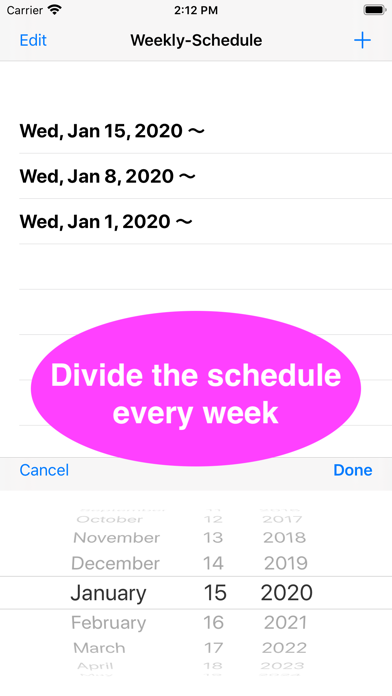
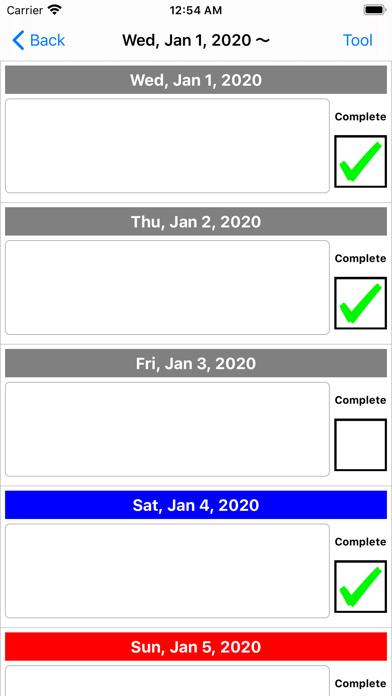
- After launching the app, press the "+" button in the upper right corner to select the first day of the week to enter the schedule and add it to the list. - Tap the date added to the list to move to the screen for entering the weekly schedule. - Tap the date label on the input screen to change the color. - By tapping the "Tool" button on the upper right, you can use the function to copy the text content and date for one week to the clipboard, and the function to delete all texts at once. Not only the schedule but also the activity history can be recorded. For inquiries, please use the review section or DM here. https://twitter.com/corasck
Audience growth
Ratings growth
Baseline captured. Growth appears after the crawler observes a changed rating count.
Momentum comes from crawler snapshots for the tracked storefront. “Viral growth signal” means unusually fast recent rating gains; it is an indicator, not download data.
Price tracking
Price intelligence
- First observed Aug 15, 2026 · 1:20 PM Free
Screenshots