About this app
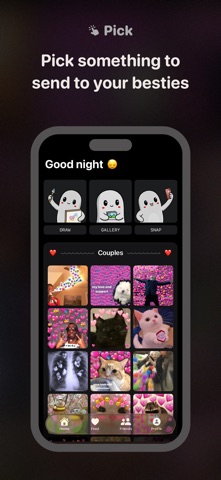
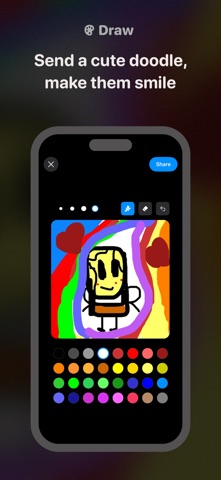
Add your best friends to your home screen with the Photo Widget by WidGeek! Instantly send a live photo, a hilarious meme, or a custom drawing to your loved ones. Surprise them every time they unlock their screen! WidGeek is the fastest and most fun way to stay close to your favorite people by beaming your mood directly to their Home Screen. Features You’ll Love: - Add your best friends directly to your Home Screen and enjoy seeing what they’re up to in real-time. Every time a friend sends a new snap, your photo widget refreshes automatically. - Use the snap camera to capture funny or emotional moments and reflect them instantly into their screens. - Express your creativity! Use our drawing tools to create custom art for your friends' widget. Send cute notes and doodles to make them smile. - Choose from hundreds of memes and send them directly to your friends to keep the relationship fun and vibrant. How it works? 1- Add the WidGeek photo widget to your Home Screen. 2- When a friend sends content (meme, photo, drawing or note), it appears instantly on your widget. 3- To send back, just tap the widget, pick something cute, and hit send! Why WidGeek? In a world of noisy notifications, WidGeek offers a personal and quiet space for your most important relationships. It is the ultimate photo widget for friends and couples who want to stay synced without the distraction of a full social feed. Content and Copyright Notice WidGeek curates memes and popular culture content from publicly available sources for entertainment purposes. We operate in good faith and respect intellectual property rights. Copyright holders may contact us to address any concerns. Support: https://widgeek.com Privacy: https://widgeek.com/privacy Terms: https://widgeek.com/terms
Latest release
What’s New
WidGeek now lives in Messages. Tap + in any conversation, choose WidGeek, pick a meme and it drops straight into your message. Premium feature. Save any image to WidGeek: long-press a picture in Messages, Photos or Safari, tap Share, then WidGeek. It lands under Favorites, ready to send again from the app or from Messages. Also in this update: • Bug fixes and performance improvements
Audience growth
Ratings growth
Baseline captured. Growth appears after the crawler observes a changed rating count.
Momentum comes from crawler snapshots for the tracked storefront. “Viral growth signal” means unusually fast recent rating gains; it is an indicator, not download data.
Price tracking
Price intelligence
First snapshot captured. The trend line starts after the next crawler price observation.
- First observed Sep 7, 2026 · 10:43 AM Free
Screenshots