About this app
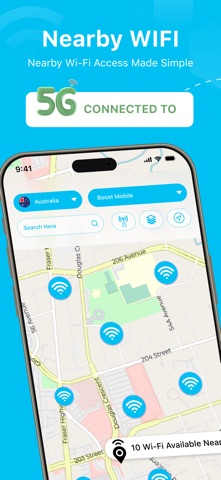
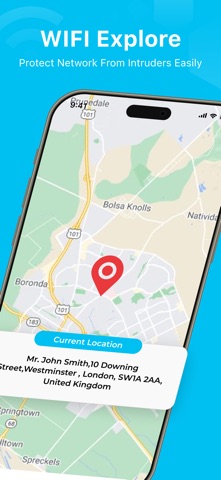
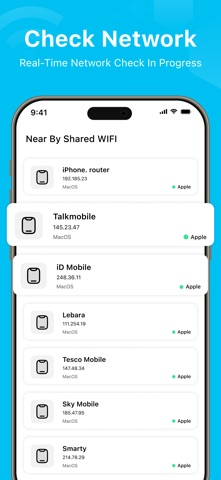
WiFi Analyzer : Map & DNS Stay connected and informed with a smarter way to explore your network world. Discover everything you need to know about your Wi-Fi and surrounding networks — all in one clean, intuitive interface. Whether you want to view your connection status on an interactive map or get instant details about nearby shared Wi-Fi spots, WiFi Analyzer helps you stay in control. Key Features: Interactive Map View – Track your Wi-Fi connection status and network name with live updates. Switch between Satellite View, 3D View, or Standard Map. See your current location in real-time and share it with ease. Nearby Shared Wi-Fi Spots – View details like network name, IP address, and device type (router, iPhone, Mac) for shared networks around you. Connection Overview – Get quick insights into your current network, including Wi-Fi information, cellular data details, and real-time status updates. DNS Map – Visualize your DNS connections for better understanding and troubleshooting. Why WiFi Analyzer? Because your connection should be clear, simple, and easy to manage — anytime, anywhere. Privacy Policy : https://wifiexplore.blogspot.com/2025/09/privacy-policy-for-wifi-explorer-map-dns.html Teams Conditions : https://wifiexplore.blogspot.com/2025/09/terms-conditions-for-wifi-explorer-map.html EULA : https://wifiexplore.blogspot.com/2025/09/end-user-license-agreement-eula-of-wifi.html
Latest release
What’s New
- Change User expiration
Audience growth
Ratings growth
Baseline captured. Growth appears after the crawler observes a changed rating count.
Momentum comes from crawler snapshots for the tracked storefront. “Viral growth signal” means unusually fast recent rating gains; it is an indicator, not download data.
Price tracking
Price intelligence
First snapshot captured. The trend line starts after the next crawler price observation.
- First observed Aug 18, 2026 · 3:53 AM Free
Screenshots