About this app
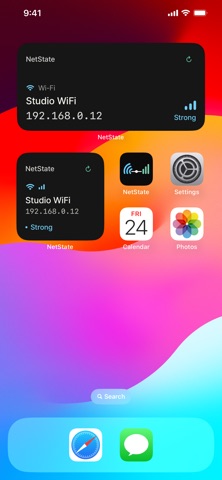
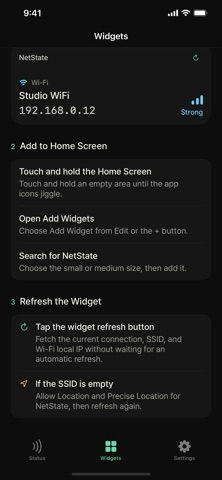
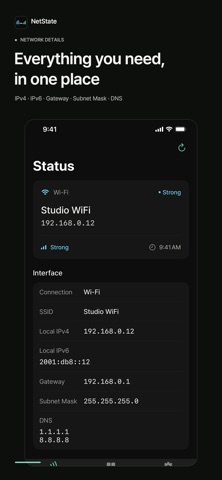
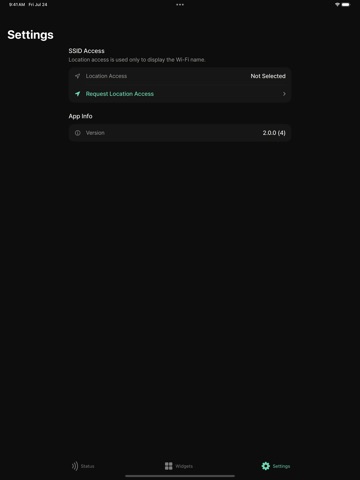
You should not need to dig through Settings just to check the network you are using NetState is a widget-first network utility for checking Wi-Fi and cellular status directly from your Home Screen HOME SCREEN WIDGETS - Small and Medium widgets - Current Wi-Fi SSID and local IPv4 address - LTE or 5G status on cellular - Refresh without opening the app - Automatic updates scheduled by iOS NETWORK DETAILS IN THE APP - Connection type and current SSID - Local IPv4 and IPv6 addresses - Gateway and subnet mask - System DNS servers - System-provided link quality on supported iOS versions ONLY THE INFORMATION YOU NEED - No ping or speed test during network refresh - No public-IP lookup or LAN scanning - No confusing local IP in the cellular widget - Clear stale status instead of a constantly moving timer PRIVACY - Location permission is used only for SSID access - Geographic coordinates are not read or stored - SSID and network addresses are processed on the device - Widgets contain no ads A banner appears only in the main app Status screen Widget refresh timing is controlled by WidgetKit and may vary with system scheduling Use the refresh button whenever you need to check the current state
Latest release
What’s New
NetState 2.1 improves how IP addresses are displayed in widgets. - Fixed an issue where long local IPv4 addresses could be truncated in the small widget on iPhone.
Audience growth
Ratings growth
Baseline captured. Growth appears after the crawler observes a changed rating count.
Momentum comes from crawler snapshots for the tracked storefront. “Viral growth signal” means unusually fast recent rating gains; it is an indicator, not download data.
Price tracking
Price intelligence
First snapshot captured. The trend line starts after the next crawler price observation.
- First observed Sep 12, 2026 · 4:57 AM Free
Screenshots