About this app
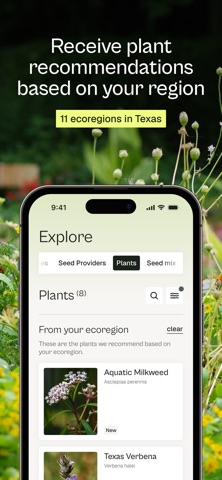
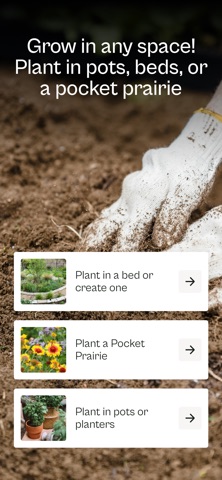
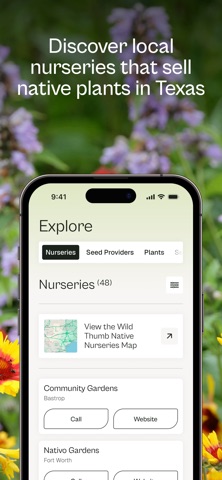
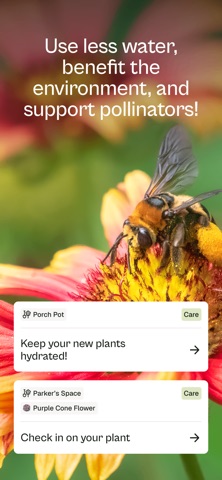
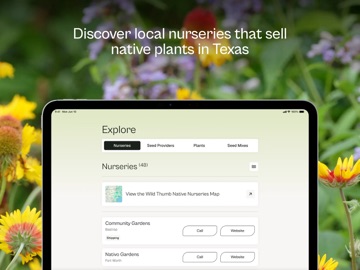
Growing a few native plants or a pocket prairie is easy with this interactive step-by-step gardening guide from Texas Parks & Wildlife Foundation's Pollinators & Prairies program. The mission to support pollinators & restore prairies in Texas starts here! What does the app offer? - A curated database of native plant recommendations based on your local climate & weather conditions - In-app interactive landscape design - Step-by-step preparation and planting instructions from plant selection to soil preparation to water & pruning - Watering, upcoming freeze conditions, pruning & other caretaking reminders - Curated seed mix recommendations for planting a pocket prairie - Pocket prairie planting & caretaking instructions - Info about the pollinator species your new plants are likely to attract - Tips & supplemental info from the Texas Parks & Wildlife Foundation, Texas Native Plant Society, and other trusted sources Getting started This app is made for people living in Texas, U.S. It's free to use, thanks to our sponsors H-E-B Our Texas, Our Future and Phillips 66. We'll walk you through the process of learning to grow native plants, beginning with asking questions about your available space, light conditions, and soil moisture. Once you've designed your space, Wild Thumb will guide you through planting, caring for, and tracking your growing progress. Happy native gardening! Why plant natives? - Native plants are low-maintenance and easy to care for once established - Native plants require much less water than non-native plants - Native plants support thriving pollinator populations that contribute to local food & wildlife systems - Native plants are hardier & more resilient than non-natives - Native plants are naturally beautiful!
Latest release
What’s New
Recent digital pruning and weeding to improve the Wild Thumb experience: - Addition coverage on accessibility - New filters introduced on explore plants tab - Android platform fixes - Performance improvements and under-the-hood bug fixes Happy planting!
Audience growth
Ratings growth
Baseline captured. Growth appears after the crawler observes a changed rating count.
Momentum comes from crawler snapshots for the tracked storefront. “Viral growth signal” means unusually fast recent rating gains; it is an indicator, not download data.
Price tracking
Price intelligence
- First observed Aug 19, 2026 · 11:47 PM Free
Screenshots