About this app
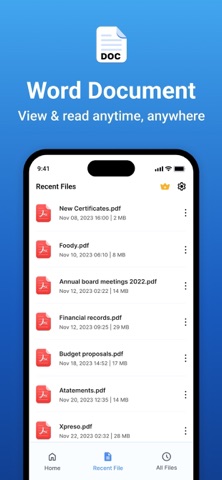
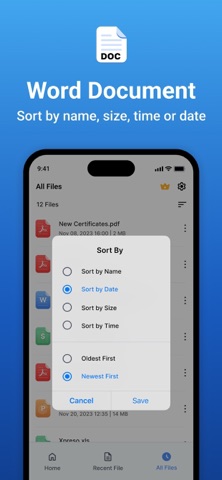
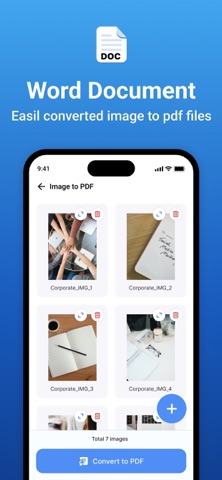
Word Document App is a powerful document editing and management tool that provides a seamless experience for creating, modifying, and managing Word files with ease. Whether you're a student, professional, or casual user, our app is designed to meet your document editing needs with an intuitive interface and rich functionality. Features: 1. Word Document Editing & Creation: • New Word Document Creation – Easily create new Word documents. • Text Formatting: - Apply bold, italic, underline, and strikethrough styles. - Choose from a variety of fonts and adjust text size. - Set text alignment (left, center, right, justify). - Customise text color to enhance readability. • Undo & Redo Options – Quickly reverse or repeat actions. 2. Image Handling: • Insert Images – Add images from the camera or gallery into Word files. • Multiple Image Support – Insert multiple images seamlessly within a document. 3. PDF Conversion & File Management: • Word to PDF Conversion – Convert Word documents into high-quality PDFs. • Image to PDF Creation & Sharing – Convert images to PDFs and share instantly. • Excel to PDF Conversion – Convert Excel files to PDF. • PPT to PDF Conversion – Convert PowerPoint presentations to PDF. 4. Smart Document Search: • Search & Find Word Documents – Locate documents easily using a keyword search. 5. Recent Files & Quick Access: • Recent File List – View and open your recently used documents instantly. • Manage Recent Documents: • Rename files • Share documents • Delete unwanted files 6. File Sorting & Organisation: • Sort files by: • Name • Date • Size • Ascending Order • Descending Order Subscription Details: - - Payment will be charged to iTunes Account at confirmation of purchase. - Subscription automatically renews unless auto-renew is turned off at least 24 hours before the end of the current period. - Account will be charged for renewal within 24 hours prior to the end of the current period, and identify the cost of the renewal. - No cancellation of the current subscription is allowed during the active subscription period. - Any unused portion of a free trial period, if offered, will be forfeited when the user purchases a subscription to that publication, where applicable. For Further Information: Privacy Policy = https://privacypolicycenter.com/new/view/id6468196482 Terms of Use = https://privacypolicycenter.com/new/terms/id6468196482 Eula = https://privacypolicycenter.com/new/eula/id6468196482
Latest release
What’s New
- Thanks for using our app! - In this update, we’ve made your workspace faster and more reliable by optimising document loading, speeding up file conversions, and adding smoother navigation animations.
Audience growth
Ratings growth
Baseline captured. Growth appears after the crawler observes a changed rating count.
Momentum comes from crawler snapshots for the tracked storefront. “Viral growth signal” means unusually fast recent rating gains; it is an indicator, not download data.
Price tracking
Price intelligence
First snapshot captured. The trend line starts after the next crawler price observation.
- First observed Aug 13, 2026 · 11:56 PM Free
Screenshots