About this app
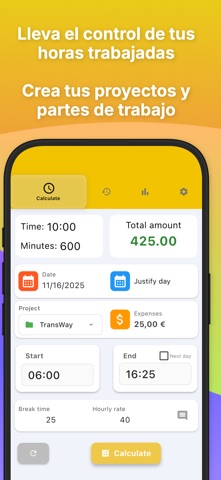
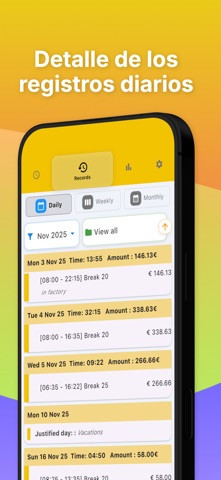
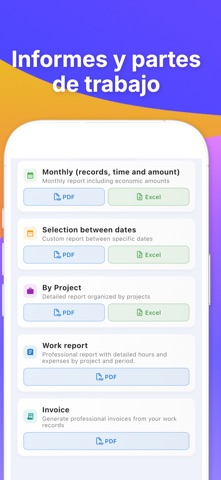
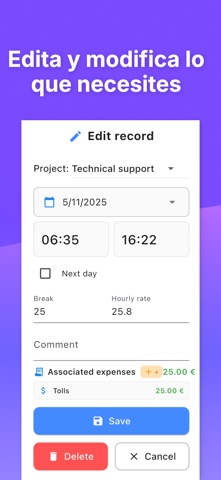
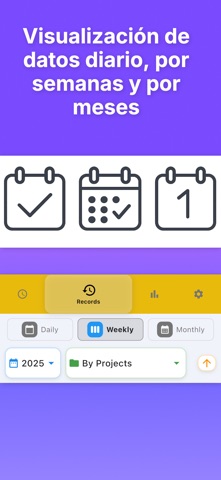
Track Work Hours, Calculate Pay & Stay Organized – All in One App Work Time is your all-in-one hours tracker, timesheet calculator, and work log app – perfect for freelancers, hourly employees, and shift workers. Key Features: Easy Time Tracking: Log start and end times of your shifts in seconds. Break Time Deduction: Automatically subtract break durations from your total hours. Pay Calculator: Enter your hourly wage and let the app compute your daily, weekly, or monthly earnings. Smart Work Log: View your logged hours by day or month with quick summaries and detailed history. PDF Reports: Export professional-looking timesheets and punch-in/punch-out records to PDF. Effortless Sharing: Send timesheets or work logs via email, cloud, or any app you use. Custom Notes: Add comments or job details for each entry to stay organized. Whether you're looking for a clock in/out app, a shift tracker, or a freelancer time calculator, Work Time has you covered. How It Works: Select a date (default is today). Enter your start and end time. Input any break duration. Add your hourly rate to calculate pay. Tap "Calculate" and save your entry. Optional: Add a comment to your log. Designed for Flexibility Work Time adapts to your workflow – daily tracking, overtime calculation, or managing multiple jobs. This free version is ad-supported. Upgrade to remove ads and enjoy an uninterrupted experience. Why Users Love Work Time: Accurate salary estimates Clean and intuitive design Reliable PDF reports Ideal for freelancers, temp workers, and anyone who logs job hours Download Work Time today and take full control of your hours, salary, and schedule. The smartest way to manage your time on iPhone. Terms of Use: https://www.apple.com/legal/internet-services/itunes/dev/stdeula/
Latest release
What’s New
Requested feature * Multi-date selection: You can now apply a single time entry to multiple days at once. Perfect for repetitive shifts or logging your whole week in seconds. * Thanks to your feedback: This major update was inspired by your suggestions. We keep listening to you to build the ultimate time tracker. * Performance improvements and minor bug fixes.
Audience growth
Ratings growth
Baseline captured. Growth appears after the crawler observes a changed rating count.
Momentum comes from crawler snapshots for the tracked storefront. “Viral growth signal” means unusually fast recent rating gains; it is an indicator, not download data.
Price tracking
Price intelligence
- First observed Aug 10, 2026 · 11:37 AM Free
Screenshots