About this app
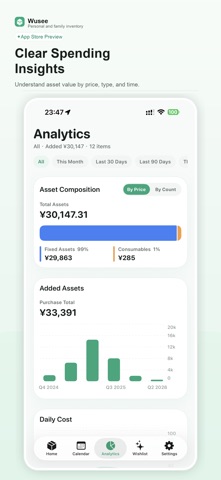
Wusee is a personal and household inventory app designed to help you keep track of the things you own, use, store, collect, and plan to buy. Create clear records for your belongings with photos, categories, status, locations, prices, purchase dates, warranty dates, expiry dates, specifications, and notes. From electronics and appliances to documents, skincare, medicine, pantry goods, collectibles, and everyday supplies, Wusee gives every item a place. Wusee supports different item types for different needs. Track fixed assets, manage consumable batches, and maintain a wishlist for future purchases. You can follow an item’s lifecycle, monitor expiry and warranty dates, and plan purchases with budget, priority, and target dates. Calendar and analytics views help you understand upcoming reminders, item distribution, quantity changes, and estimated value. Organize your inventory by category, tag, location, collection, and status so you can find what you need quickly. Wusee is useful for: Building a home inventory Managing electronics, appliances, furniture, and documents Tracking food, medicine, skincare, and other consumables Remembering warranty and expiry dates Organizing collectibles and important belongings Planning wishlists and future purchases Understanding household assets and value over time Wusee is built for long-term clarity. It helps you reduce forgotten items, missed dates, repeated purchases, and scattered records, so your everyday belongings stay easy to find and easier to manage. Terms of Use (EULA): https://wusee.momoko.cc/terms Privacy Policy: https://wusee.momoko.cc/privacy
Latest release
What’s New
What's included in this update: 1. Fixed some issues when importing and restoring full backups. 2. Improved how consumable inventory is shown on the Home screen. 3. Improved inventory list display and syncing in the Home Screen widget. 4. Item specifications can now be reordered with drag and drop. 5. You can now scan a container QR code to open it directly.
Audience growth
Ratings growth
Baseline captured. Growth appears after the crawler observes a changed rating count.
Momentum comes from crawler snapshots for the tracked storefront. “Viral growth signal” means unusually fast recent rating gains; it is an indicator, not download data.
Price tracking
Price intelligence
First snapshot captured. The trend line starts after the next crawler price observation.
- First observed Sep 6, 2026 · 12:56 AM Free
Screenshots