About this app
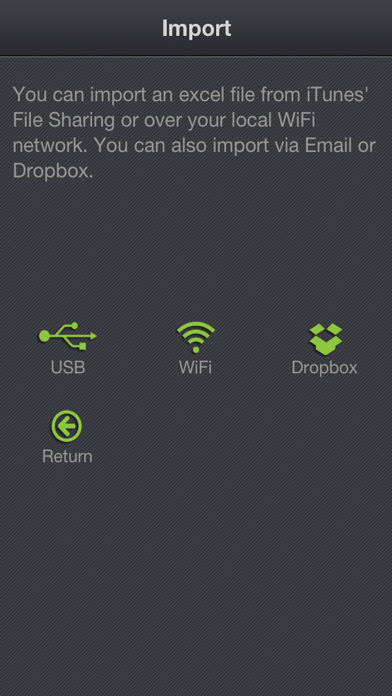
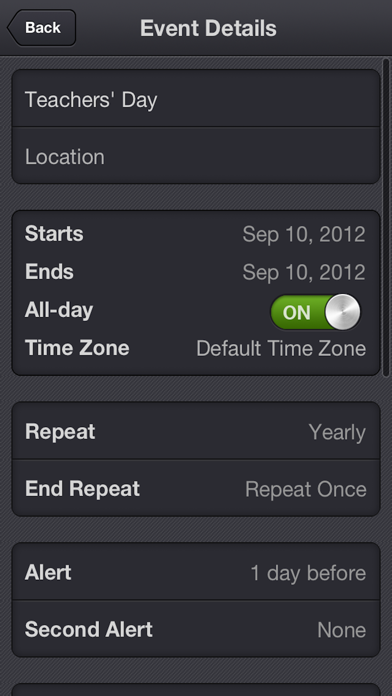
If you want to export your calendar events to an Excel file and edit them on your computer or - if you want to share these events with your friends so that they could import them to their own calendar, then xCalendar maybe right for you. xCalendar exports all of your events from your iPhone or iPad to an Excel file by email, USB, WiFi and Dropbox. You can then modify and maintain your schedule easily and conveniently on your computer using Excel, Numbers, OpenOffice or any other Excel-compatible application. Importing your schedule is also an easy thing to do. You can import an Excel file to your iPhone or iPad by email, USB, WiFi and Dropbox. xCalendar can update the existing events and add new events during import. Features include: 1. Export all events from all iPhone supported calendars(Local, Exchange, CalDAV, Subscription, Birthday). 2. Export all unique events by merging all recurring events. 3. Export all fields in the Event view of your iPhone’s built-in Calendar application, including title, location, dates, times, alarms, recurrence, etc. 4. Support for Excel 97-2003 file format (.xls), it is the most widely supported Excel file format. You can use MS Office 2003/2007/2010, OpenOffice.org, MAC Office, MAC Numbers to open and edit. 5. Keep a back-up copy of your Calendar events in Dropbox. 6. Export a calendar via email, it’s an easy way to share your personal calendar with your friends. 7. Export events to an excel file which can be imported into Outlook. 8. Import events from an Outlook Excel file (only available in the full version). 9. Import events from an Excel file to iCloud or Exchange Calendar. 10. Import unlimited number of events in seconds. 11. Preview the events which have been imported before saving them. 12. Add a new event if it does not already exist during import. 13. Update the existing events based on the title of the event and the calendar name during the import. 14. Create a new local calendar if it does not exist. 15. Support pages are provided to help you create your schedule on the spreadsheet.
Latest release
What’s New
1. Added TravelTime field 2. Fixed a bug that the app can not import the file from Dropbox.
Audience growth
Ratings growth
Baseline captured. Growth appears after the crawler observes a changed rating count.
Momentum comes from crawler snapshots for the tracked storefront. “Viral growth signal” means unusually fast recent rating gains; it is an indicator, not download data.
Price tracking
Price intelligence
First snapshot captured. The trend line starts after the next crawler price observation.
- First observed Aug 21, 2026 · 5:37 AM Free
Screenshots