About this app
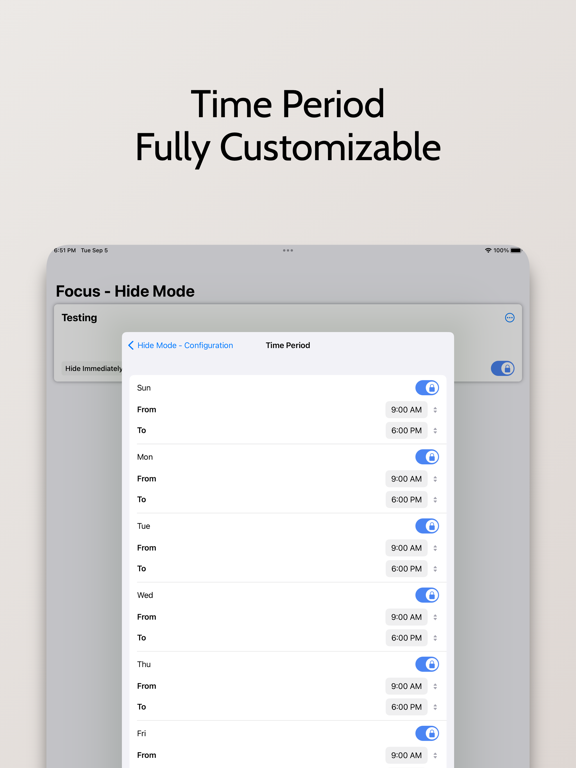
XLocker is an advanced screen time management tool specially designed for parents, providing a simple and friendly interface, convenient and fast way to manage your apps. Allows you to set daily usage limits for applications. And after the limit is reached, lock the application with a custom limit to help parents control the time their children use on iPhone & iPad. It is especially suitable for protecting privacy, reducing harassment, and enabling parents to control children's use of mobile phones. The main function: - Prevent children from using social media and games, as well as inappropriate web content. - Set daily functions, set screen time control as needed, and authorize the use of specific applications in specific time periods. Prevent Social and Gaming Addiction - Add your pictures and videos to the app for triple protection XLocker lets you restrict and restore apps easily, making it the ideal app for managing your life and work. you! value! have to! Hug! have! #Privacy Statement - XLocker does not collect any data including your selected apps, location or usage information. Unlimited Access Membership Subscription - You can subscribe for unlimited access to all features within the app – Monthly or yearly subscription at the rate chosen by the subscription plan - Payment will be charged to iTunes Account at confirmation of purchase – Subscription automatically renews unless auto-renew is turned off at least 24-hours before the end of the current period – Account will be charged for renewal within 24-hours prior to the end of the current period. Fees depend on plan selected – Subscriptions may be managed by the user and auto-renewal may be turned off by going to the user's Account Settings after purchase If you subscribe or purchase the APP, you will be able to use the following functions: 1. The application group can add up to 50 applications 2. Up to 10 application groups can be created 3. Password protect the app 5: Subsequent updates with more new features Prices above are in US dollars. Pricing in other countries may vary and actual charges may be converted to local currency depending on the country. Visit http://support.apple.com/kb/ht4098 Terms of Use: https://magicx.link/TermsofService.html Privacy Policy: https://magicx.link/privacypolicy.html Billing terms: https://magicx.link/terms.html =====Contact us===== E-mail: nullxw@gmaill.com
Latest release
What’s New
Fix bugs and optimize experience
Audience growth
Ratings growth
Baseline captured. Growth appears after the crawler observes a changed rating count.
Momentum comes from crawler snapshots for the tracked storefront. “Viral growth signal” means unusually fast recent rating gains; it is an indicator, not download data.
Price tracking
Price intelligence
First snapshot captured. The trend line starts after the next crawler price observation.
- First observed Aug 19, 2026 · 10:03 AM Free
Screenshots