About this app
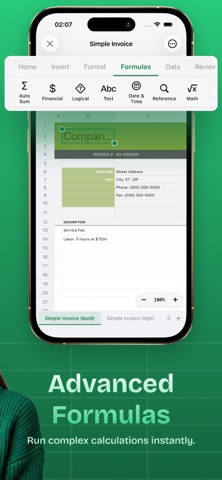
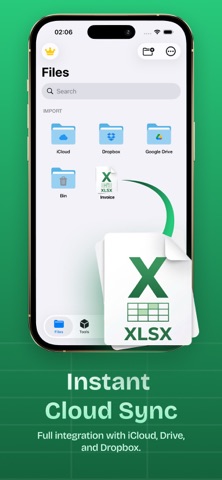
XLSX Sheets Editor is a powerful and easy-to-use spreadsheet editor designed for creating, editing, and managing XLSX files directly on your iPhone or iPad. Work with your spreadsheets anytime, anywhere with professional tools optimized for mobile productivity. • Create & Edit Spreadsheets Open and edit XLS and XLSX files with a smooth and responsive editor. Format cells, apply formulas, insert rows and columns, and manage your spreadsheet data easily. • Formulas & Data Tools Use a wide range of spreadsheet functions and formulas to perform calculations, organize data, and analyze information quickly. • Charts & Data Visualization Create charts and graphs to better understand your data. Sort, filter, and manage spreadsheet content with powerful tools. • Cloud Integration Import files from Google Drive, Dropbox, and other cloud services. Export your spreadsheets to formats like PDF, CSV, or XLSX. Work Anytime, Anywhere Access and edit your spreadsheets even without an internet connection. Your files stay ready whenever you need them. ..:: Key Features ::.. • Create and edit XLSX spreadsheets • Spreadsheet formulas and calculations • Charts, graphs, and data tools • Import & export CSV, PDF, XLSX • Cloud integration support • Custom formatting options • Offline spreadsheet editing Download XLSX Sheets Editor and manage your spreadsheets on the go. Subscriptions renew automatically unless cancelled at least 24 hours before the end of the current period. You can manage or cancel anytime in your App Store account settings. More Subscription Information: - Weekly plan, annual plan and lifetime are available. - Payment will be charged to your Apple ID account at confirmation of purchase. - Subscription automatically renews unless auto-renew is turned off at least 24 hours before the end of the current period. - Within 24-hours prior to the end of the current period, the account will be charged for the renewal of the subscription, indicating the cost of the renewal. - You can manage subscriptions and turn off auto-renewal after purchase by going to your App Store account settings. - Any unused portion of a free trial period, if offered, will be forfeited when purchasing a subscription. Privacy Policy: https://loopmobile.io/privacy.html Terms of Use: https://loopmobile.io/tos.html
Latest release
What’s New
Bug fixes and performance improvements.
Audience growth
Ratings growth
Momentum comes from crawler snapshots for the tracked storefront. “Viral growth signal” means unusually fast recent rating gains; it is an indicator, not download data.
Price tracking
Price intelligence
- First observed Aug 18, 2026 · 10:30 AM Free
Screenshots